DLPU126 December 2023 DLP470TE , DLP660TE , DLP780TE , DLPC4420
- 1
- Description
- Getting Started
- Features
- 5
- 1Evaluation Module Overview
- 2Hardware
- 3Software
- 4Hardware Design Files
- 5Additional Information
- 6Related Documentation from Texas Instruments
3.1.3 Programming the DLPC4420AEVM and Displaying a SPLASH Image
Follow these steps to download and configure the DLPC44xx GUI:
- The Projector Control (.projector) and Firmware binary(.img) files are located in the install directory. The same procedure applies to the DLP470TEEVM and DLP780TEEVM with the appropriate firmware.
- Setting up Communication Preferences:
- DLPC44xx GUI supports USB and I2C communication. To change these settings, please go to Edit- >Preferences->Communication.
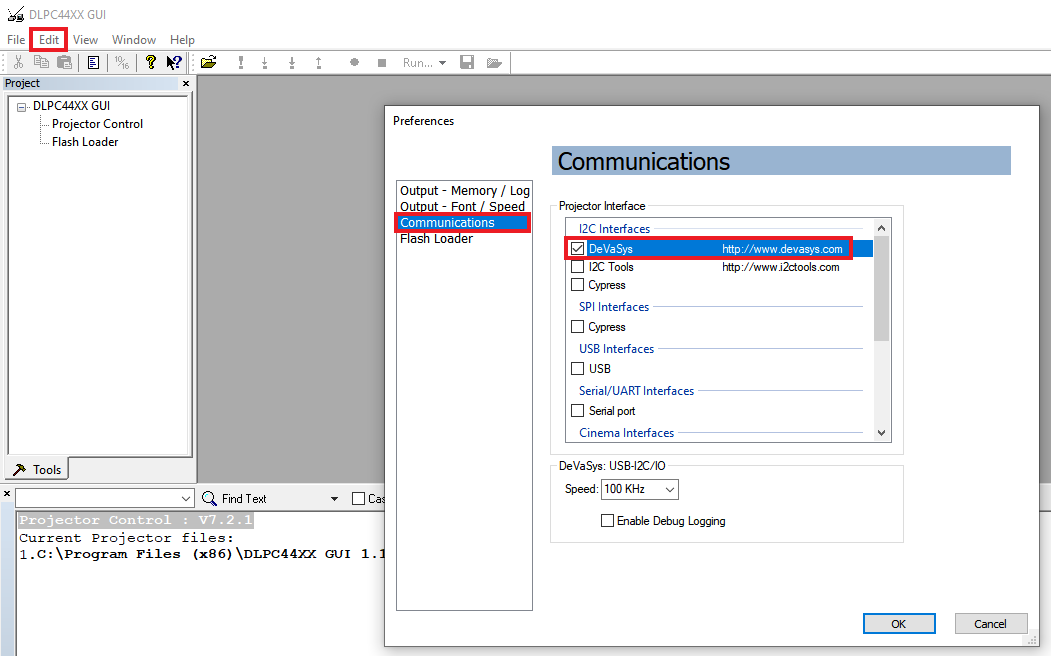 Figure 3-2 DeVaSys Communication Configuration
 - For USB, please select the USB interface. Note: USB is the preferred method to download the firmware flash image to the projector as USB is much faster than I2C.
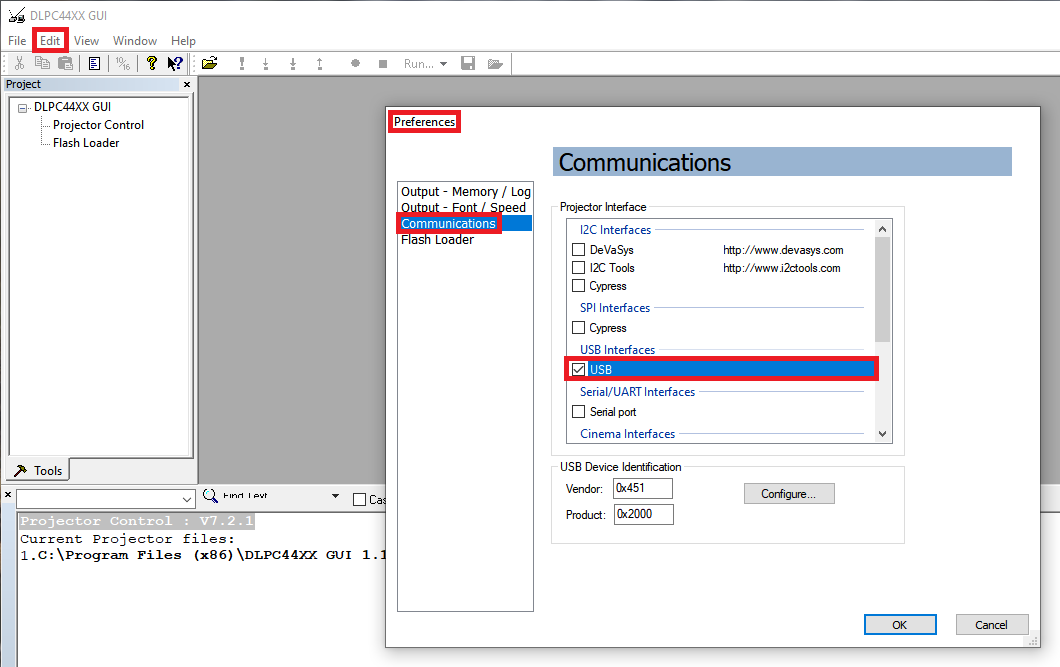 Figure 3-3 USB
Communication Configuration
Figure 3-3 USB
Communication Configuration - An error message can appear saying the USB driver cannot be opened. This is
expected, as TI has not yet enabled communication on the board. Click
OK on this error.
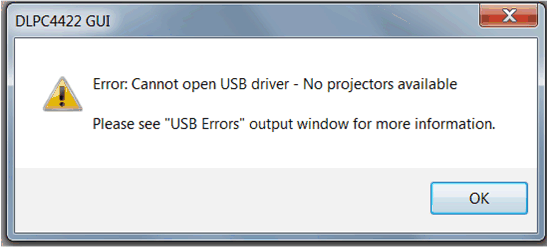 Figure 3-4 Error
Message
Figure 3-4 Error
Message
- DLPC44xx GUI supports USB and I2C communication. To change these settings, please go to Edit- >Preferences->Communication.
- Projector Control Configuration:
- Run the DLPC44xx GUI tool and select the Projector Control sub-tool.
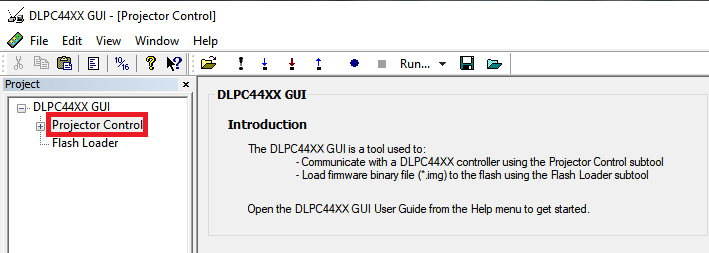 Figure 3-5 Projector
Control Menu
Figure 3-5 Projector
Control Menu - Select Open Projector File then select Add. Navigate to the
.projector file location installed in step 1.
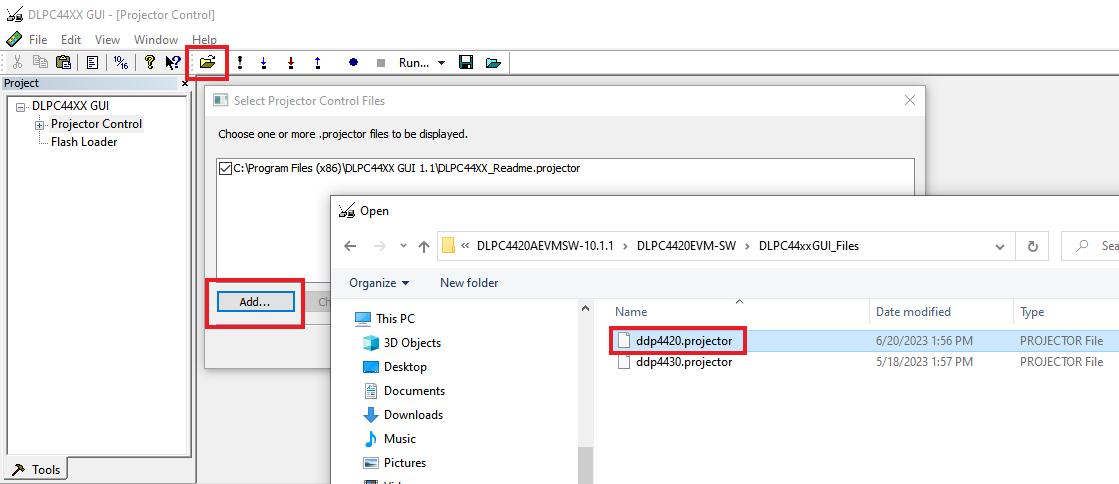 Figure 3-6 Adding
DLPC4420 Projector Control File
Figure 3-6 Adding
DLPC4420 Projector Control File - Make sure the desired Projector Control file is checked, then select OK. Note: If the user wants to use one Projector Control file at a time, then deselect the files to hide before selecting OK.
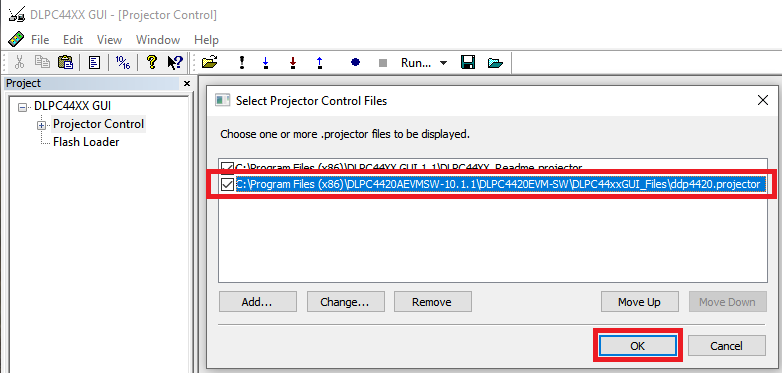 Figure 3-7 Projector
Control File for the Chosen Chipset
Figure 3-7 Projector
Control File for the Chosen Chipset - Once this file is loaded, the user can navigate
through the pages to control a DLPC4420 controller.
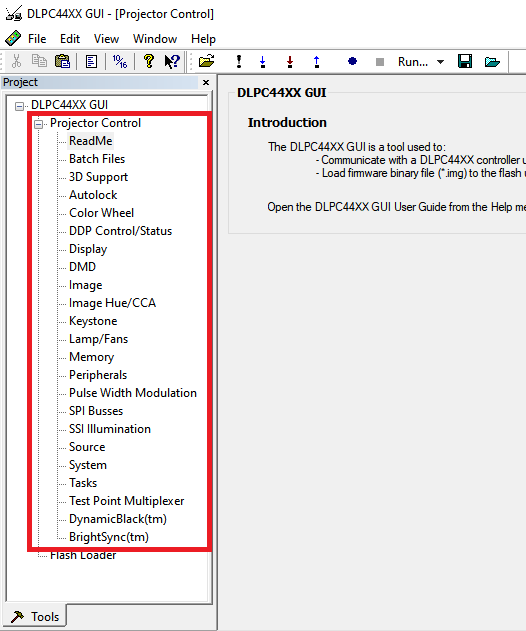 Figure 3-8 DLPC4420
Projector Control Menu
Figure 3-8 DLPC4420
Projector Control Menu
- Run the DLPC44xx GUI tool and select the Projector Control sub-tool.
- Flash Loader Configuration:
- Select the Flash Loader sub-tool, and then select the Browse button. After
navigating to the installation directory, navigate to the
DLPC4420_Software_Files folder and select the
“Flash_DLPC4420_DLP660TE_p66_TRP_4KUHD_S610_LED.img” file and click on
open.
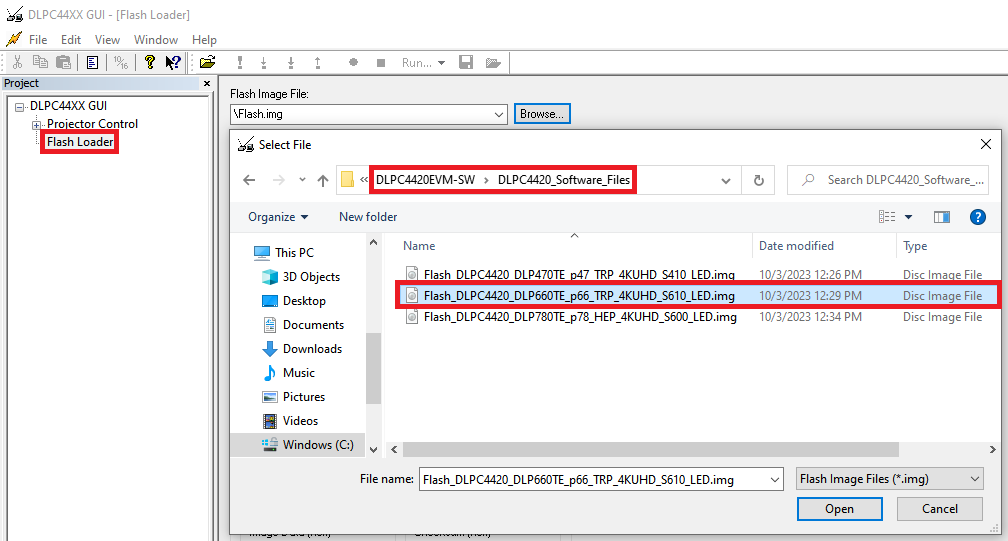 Figure 3-9 Loading the
Flash Image
Figure 3-9 Loading the
Flash Image - Select Complete Image Download for first time
download. By default, the flash has the boot loader pre-loaded; uncheck
the Skip Boot Loader Area.Note: Check Skip Boot Loader Area only if the bootloader needs to be upgraded.
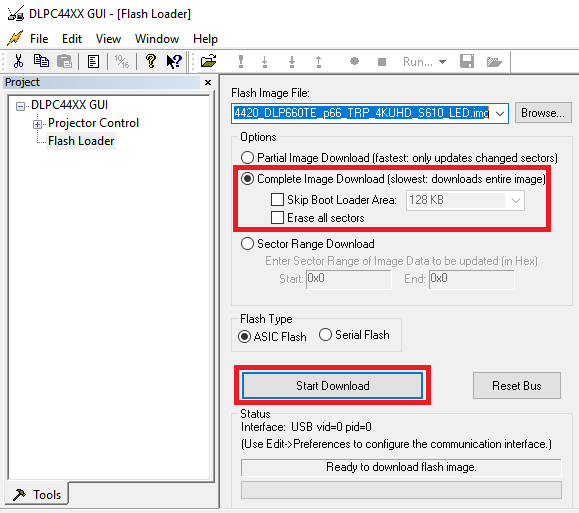 Figure 3-10 Downloading
Image onto the EVM
Figure 3-10 Downloading
Image onto the EVM - Connect DLPC4420AEVM to PC via USB. Make sure USB communication capability by
clicking Reset Bus on the bootloader menu in the DLPC44xx GUI.
The Status field appears as follows:
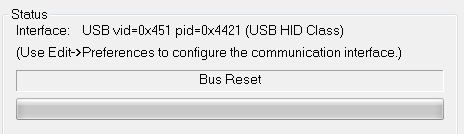 Figure 3-11 Communication
Between GUI and EVMsNote: If there is an issue with USB communication, then turn off DLPC4420AEVM and disconnect then reconnect USB cable and power on board.
Figure 3-11 Communication
Between GUI and EVMsNote: If there is an issue with USB communication, then turn off DLPC4420AEVM and disconnect then reconnect USB cable and power on board. - Select Start Download to begin. The loading process takes between 5 and 10 minutes.
- After the download has completed, switch SW1 to off and switch the power to the unit under test (UUT) off. Remove the jumper on J31 from the DLPC4420AEVM board.
- After removing the jumper, re-enable power to the DLPC4420AEVM. Switch SW1 to
the On position. A Red LED appears after a few seconds. The Red
LED shuts off and a green LED begins blinking. After the blinking LED
appears, the DLP Texas Instruments logo is visible on the DMD for a few
seconds and appear as or similar to what is seen in Figure 4-12.
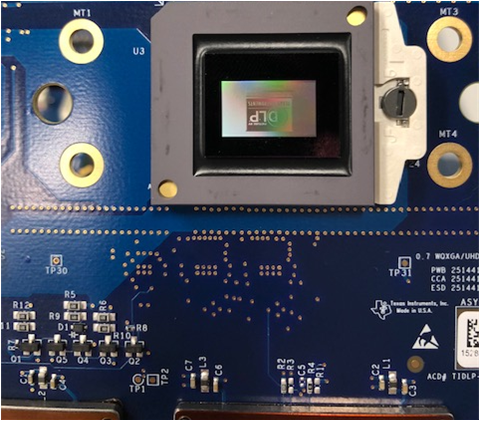 Figure 3-12 Splash Image
Displayed on DMD
Figure 3-12 Splash Image
Displayed on DMD
- Select the Flash Loader sub-tool, and then select the Browse button. After
navigating to the installation directory, navigate to the
DLPC4420_Software_Files folder and select the
“Flash_DLPC4420_DLP660TE_p66_TRP_4KUHD_S610_LED.img” file and click on
open.
Turn the switch back to the off position before connecting the USB cable to DLPC4420AEVM. The power supply does not have to be disconnected before connecting the USB cable. Once the USB cable is connected to the DLPC4420AEVM (and the PC), turn the switch on the DLPC4420AEVM to the on position.