SBAU474 December   2024 TAA3040


  1.   1
  2. Description
  3. Features
  4.   4
  5. Trademarks
  6. Evaluation Module Overview
    1. 4.1 Introduction
    2. 4.2 Kit Contents
    3. 4.3 Specifications
    4. 4.4 Device Information
  7. Hardware Overview
    1. 5.1 AC-MB Settings
      1. 5.1.1 Audio Serial Interface Settings
        1. 5.1.1.1 USB
        2. 5.1.1.2 AC-MB USB Audio Setting
        3. 5.1.1.3 Optical or Auxilary Analog Audio Input
        4. 5.1.1.4 External
      2. 5.1.2 AC-MB Power Supply
    2. 5.2 TAA3040EVM-PDK Hardware Settings
      1. 5.2.1 Line Inputs
      2. 5.2.2 Onboard Microphone Input
  8. Software Overview
    1. 6.1 PurePath Console 3 Installation
    2. 6.2 TAA3040EVM GUI Installation
      1. 6.2.1 Software Setup
  9. Quick Start
    1. 7.1 Configuring the Audio Serial Bus for the I2S Output
    2. 7.2 Ready for Use
    3. 7.3 Saving a Configuration
  10. System Overview
  11. Schematic and Bill of Materials
    1. 9.1 TAA3040EVM-K Schematic and Bill of Materials
      1. 9.1.1 ADCx140EVM-PDK Schematic
      2. 9.1.2 TAA3040EVM-K Bill of Materials
    2. 9.2 AC-MB Schematic and Bill of Materials
      1. 9.2.1 AC-MB Schematic
      2. 9.2.2 AC-MB Bill of Materials
  12. 10Matlab Audio Capture Example

Line Inputs

For the line input configuration (shown in Figure 5-8), the TAA3040 captures the audio signal provided through terminals J2 (IN1), J3 (IN2), J4 (IN3), and J5 (IN4). The input accepted in this mode is a differential, 2-VRMS, full-scale audio signal. If a single-ended source is used, the 1-VRMS signal is supported.
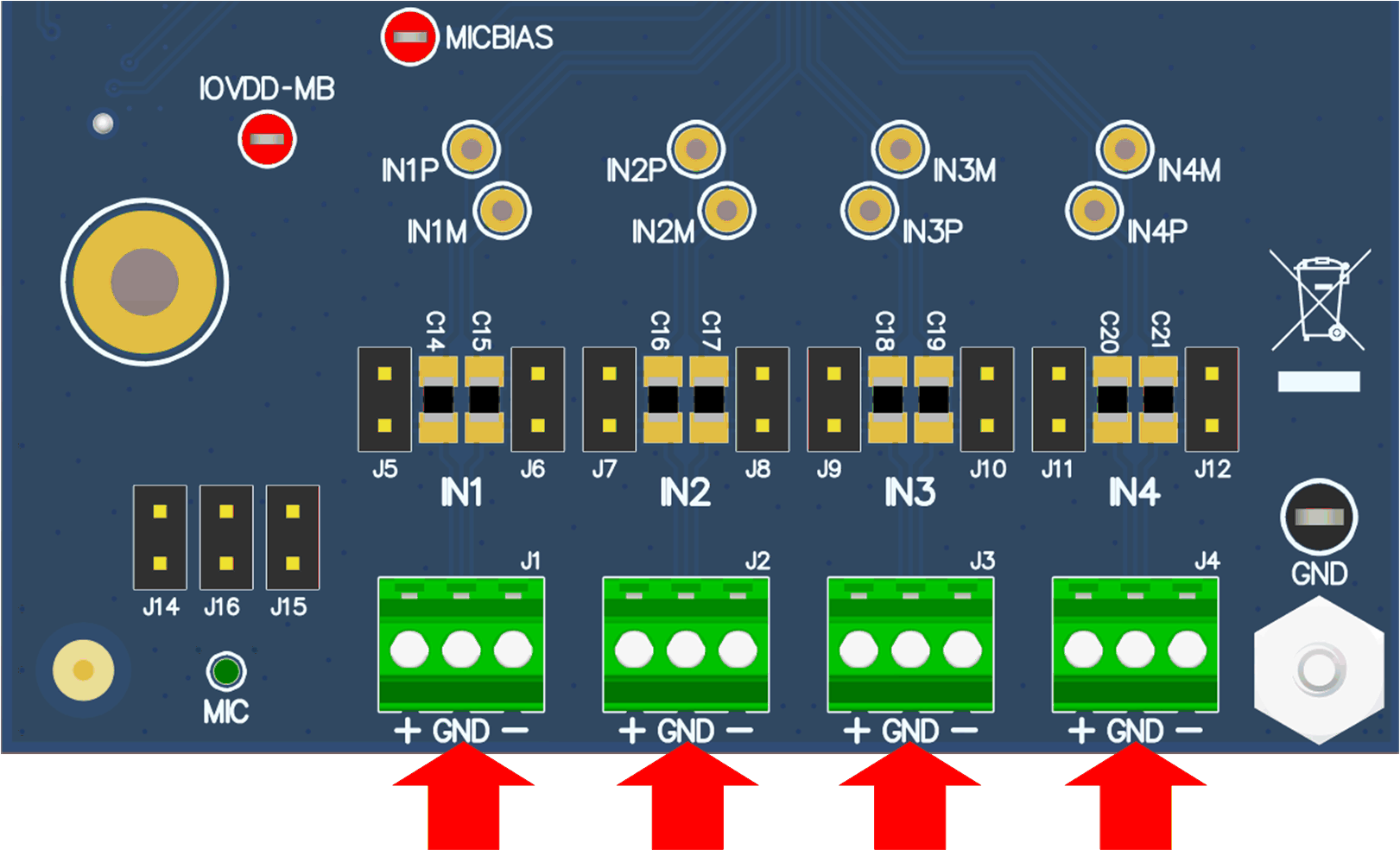
TAA3040 TAA3040EVB Connection for Line Input ApplicationFigure 5-8 TAA3040EVB Connection for Line Input Application