SLAU834 October 2020 ISO7760 , ISO7762 , MSP432E401Y , TPS92520-Q1 , TPS92682-Q1
- Trademarks
- 1Description
- 2Features and Specifications
- 3Schematic, PCB Layout, and Bill of Materials
- 4Software
-
5LEDMCUEVM-132 Power UP and Operation
- 5.1 GUI Start-up
- 5.2 MCU Control Window
- 5.3 SPI Command Window
- 5.4
GUI Devices Window and Example Connections and Power Up
- 5.4.1 TPS92520EVM-133 Connections and Power UP
- 5.4.2 TPS92520EVM-133 Devices Window
- 5.4.3 TPS92518EVM-878 Connections and Power Up
- 5.4.4 TPS92518EVM-878 Devices Window
- 5.4.5 TPS92682EVM-069 + TPS92520EVM-133 Connection and Power UP
- 5.4.6 TPS92520, TPS92682 - LPP074 - E1 Devices Window
- 5.4.7 TPS92682EVM-069 + TPS92520EVM-133 + TPS92662EVM6-901 Connection and Power UP
- 5.4.8 TPS92662EVM6-901 Devices Window
5.1 GUI Start-up
Run the program LED_Controller_GUI_LP.exe, located at the ":\Texas Instruments\TPS92518, 520, 682 LaunchPad Evaluation Software", to start the GUI. The window shown in Figure 5-2 opens. If the TPS92518, 520, 682 Launchpad Evaluation Software shortcut was installed on the desktop then that can also be used to run the application.
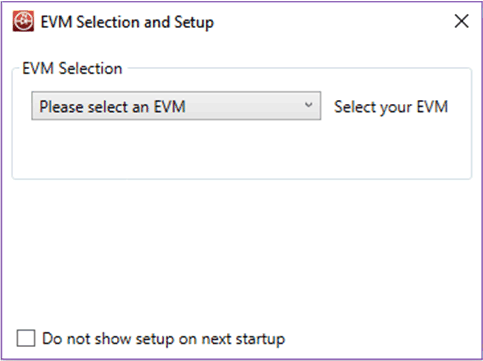 Figure 5-2 GUI Setup Screen 1
Click the Please select an EVM drop-down menu to see the available EVMs that are supported by the LEDMCUEVM-132 and the GUI.
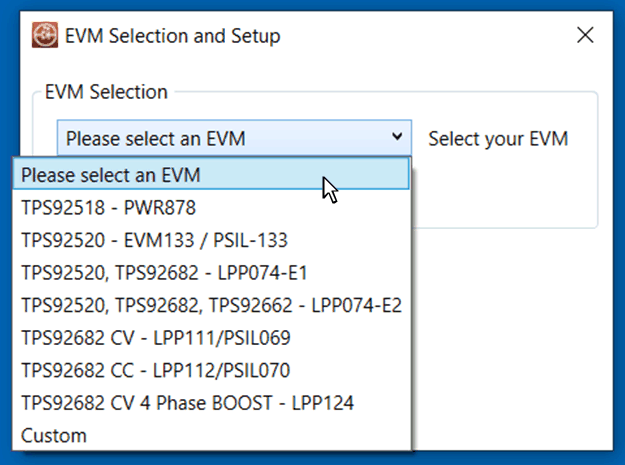 Figure 5-3 GUI EVM Selection and Setup Screen
 Depending on the selection, either select the number of devices or select the desired device address then click Add Device.
The GUI will start up and show 4 separate windows (1-MCU Control, 2-SPI Command, 3-Watchdog (NOTE: not all EVM selections use this feature), and 4-Devices), see Figure 5-4.
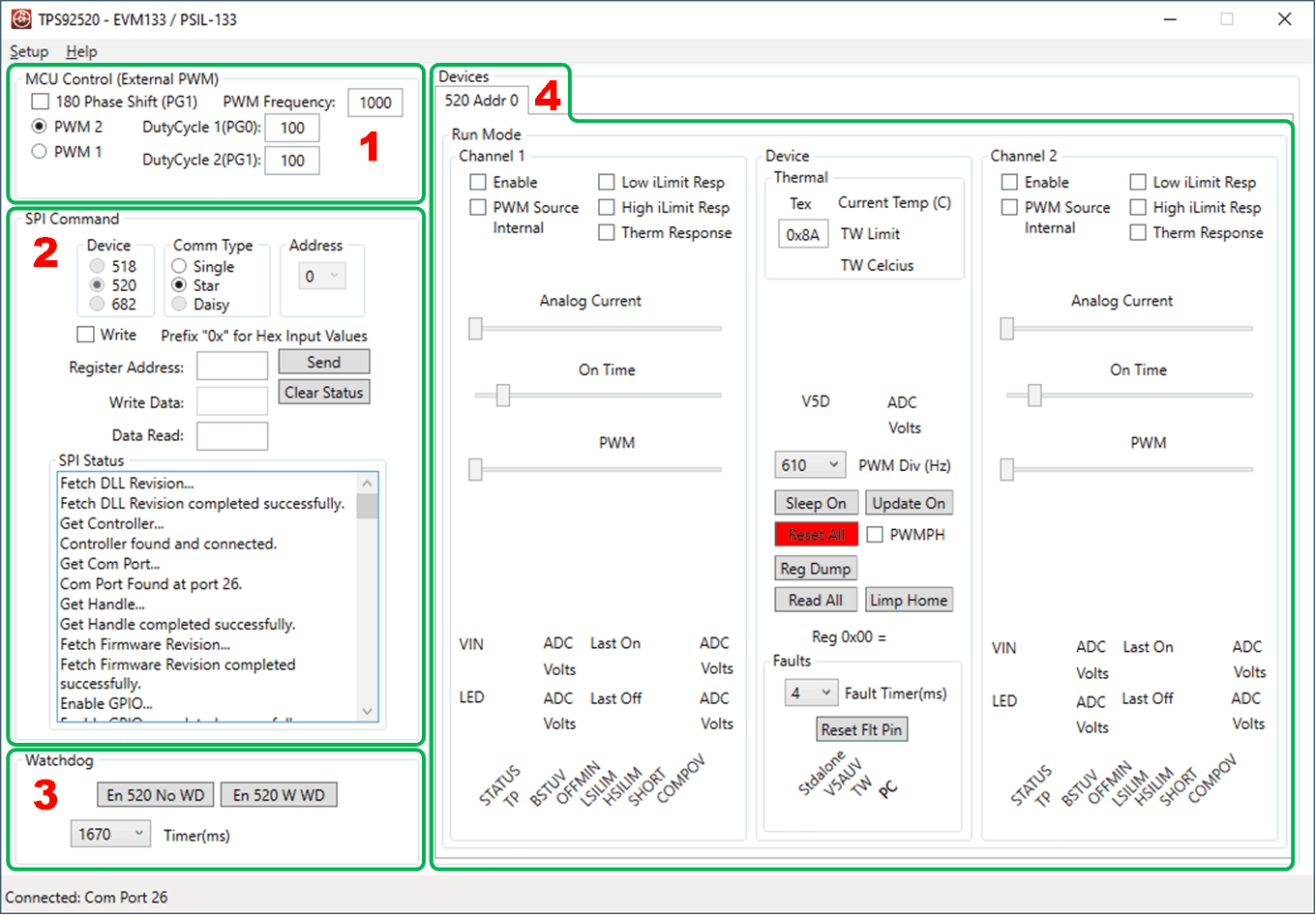 Figure 5-4 TPS92520 - EVM133 GUI Start-up Screen Showing Different Windows.