SNAU163C August 2014 – October 2016 FDC1004
-
FDC1004EVM User's Guide
- Trademarks
- 1 Setup
- 2 Sensing Solutions EVM GUI
- 3 Board Layout
- 4 Schematic
- Revision History
2.9 Updating the EVM Firmware
To upload new firmware to the EVM, navigate to the "Firmware" page from the GUI menu and follow these steps. The images below show uploading the FDC2214 EVM firmware, but the steps are identical for any LDC, FDC, or HDC EVM when using their respective firmware files.
- Click the button to select a TI-TXT firmware file
- Select the firmware file and click “Open”
- Click the “Upload Firmware” button
- Wait for the firmware to upload. Do NOT disconnect the EVM from the PC at this time! Also note that the GUI will disconnect from the EVM. The upload process should not take more than one minute. If the upload fails or lasts longer than one minute, unplug the EVM and restart the GUI.
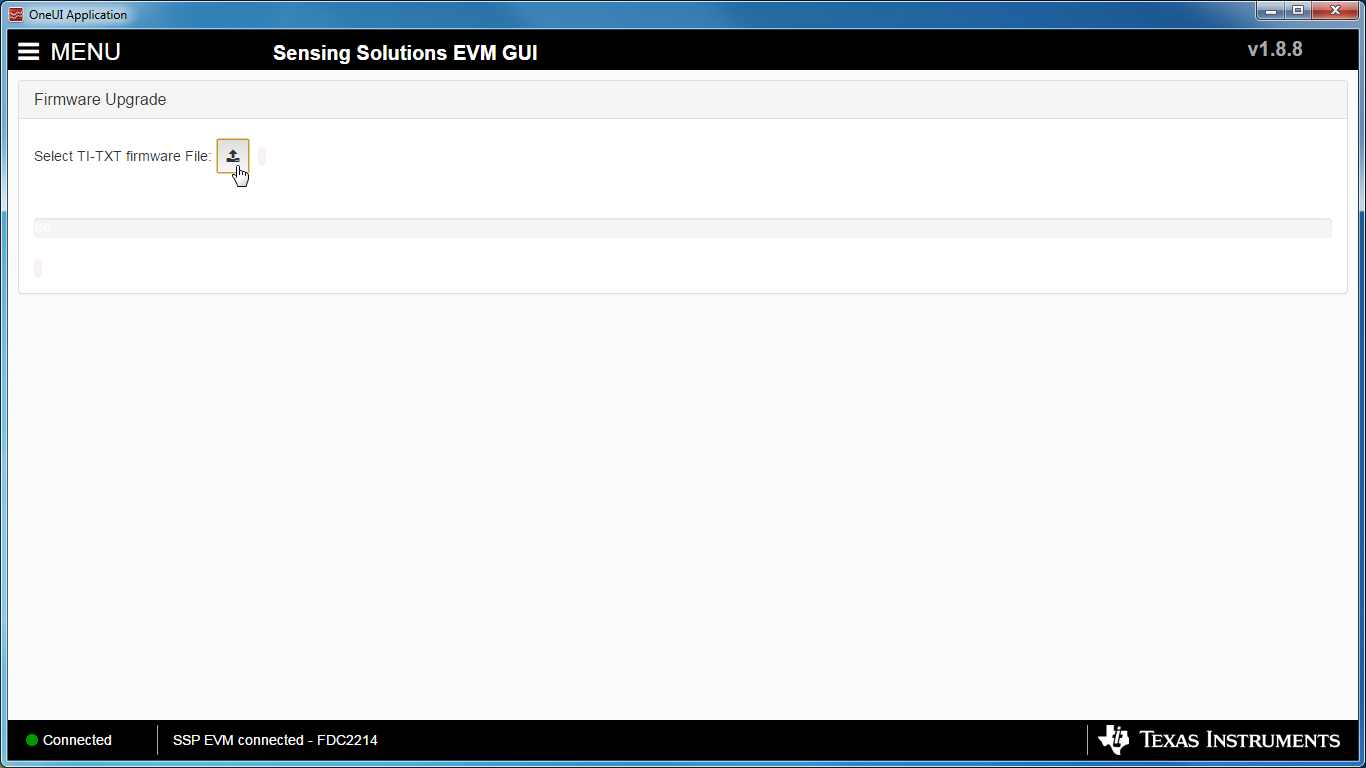 Figure 37. Select TI-TXT File Button on Firmware Upload Page
 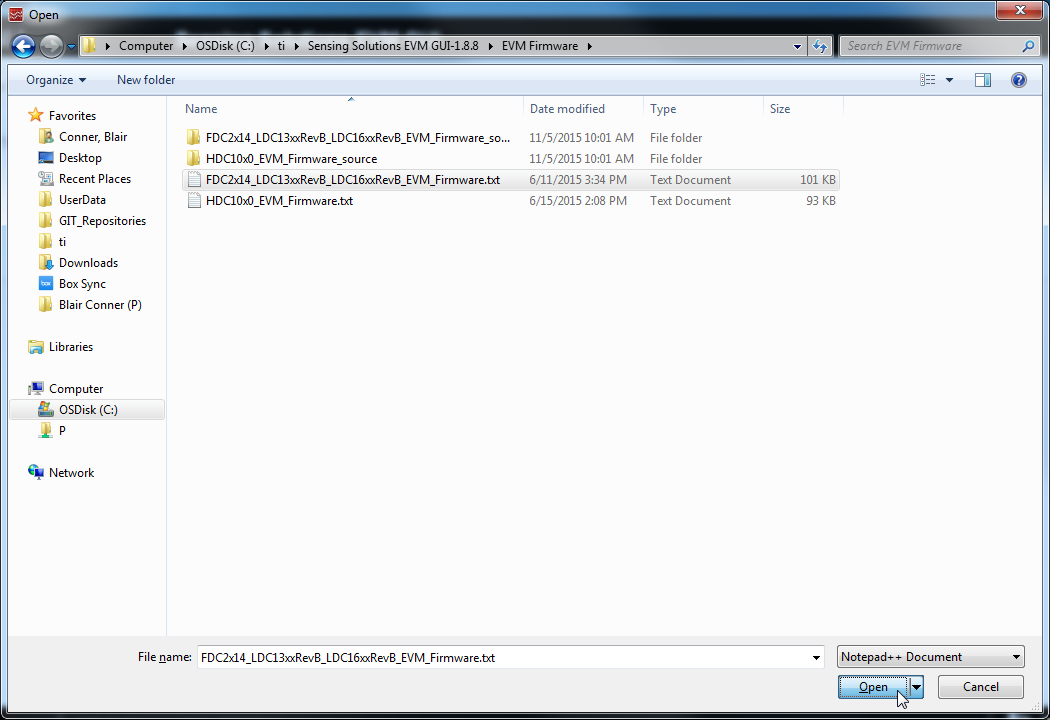 Figure 38. Selecting TI-TXT Firmware File for Upload to EVM
 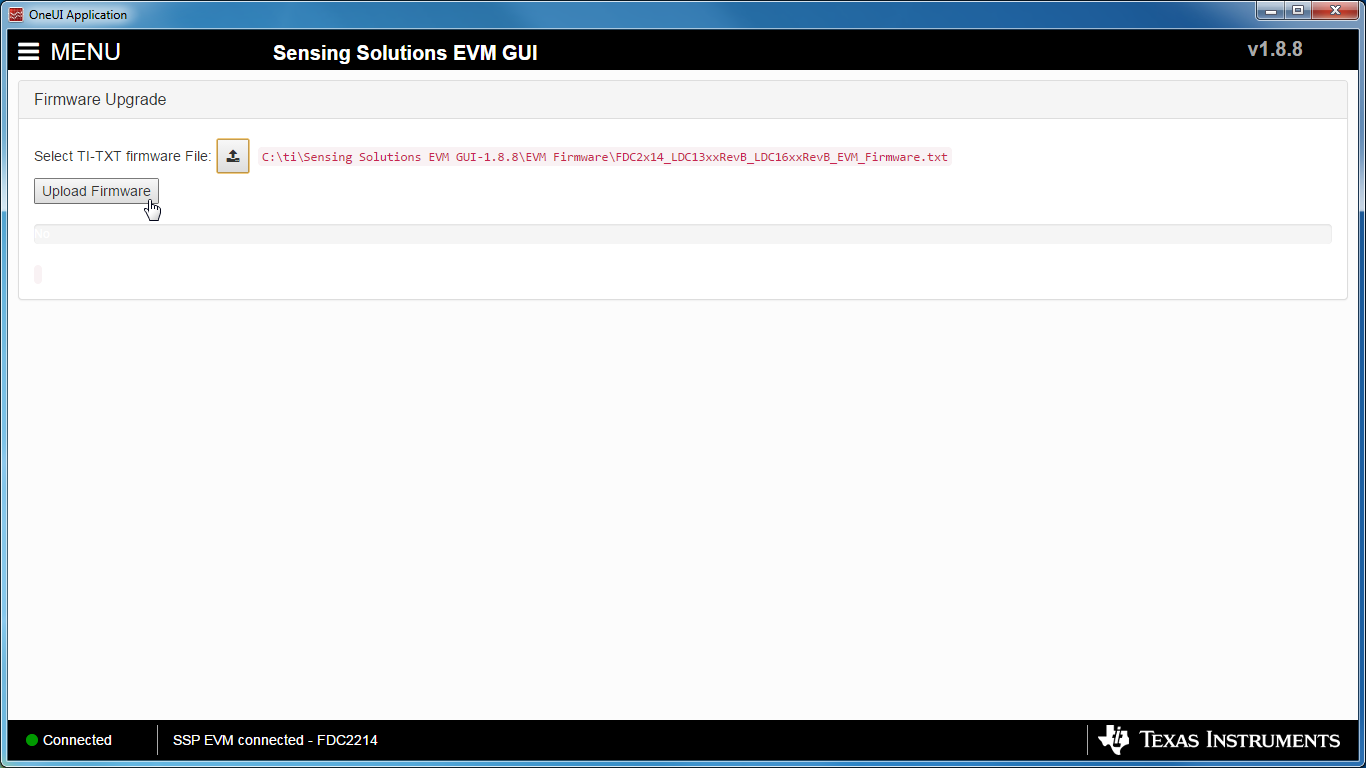 Figure 39. Upload Firmware Button on Firmware Upload Page
 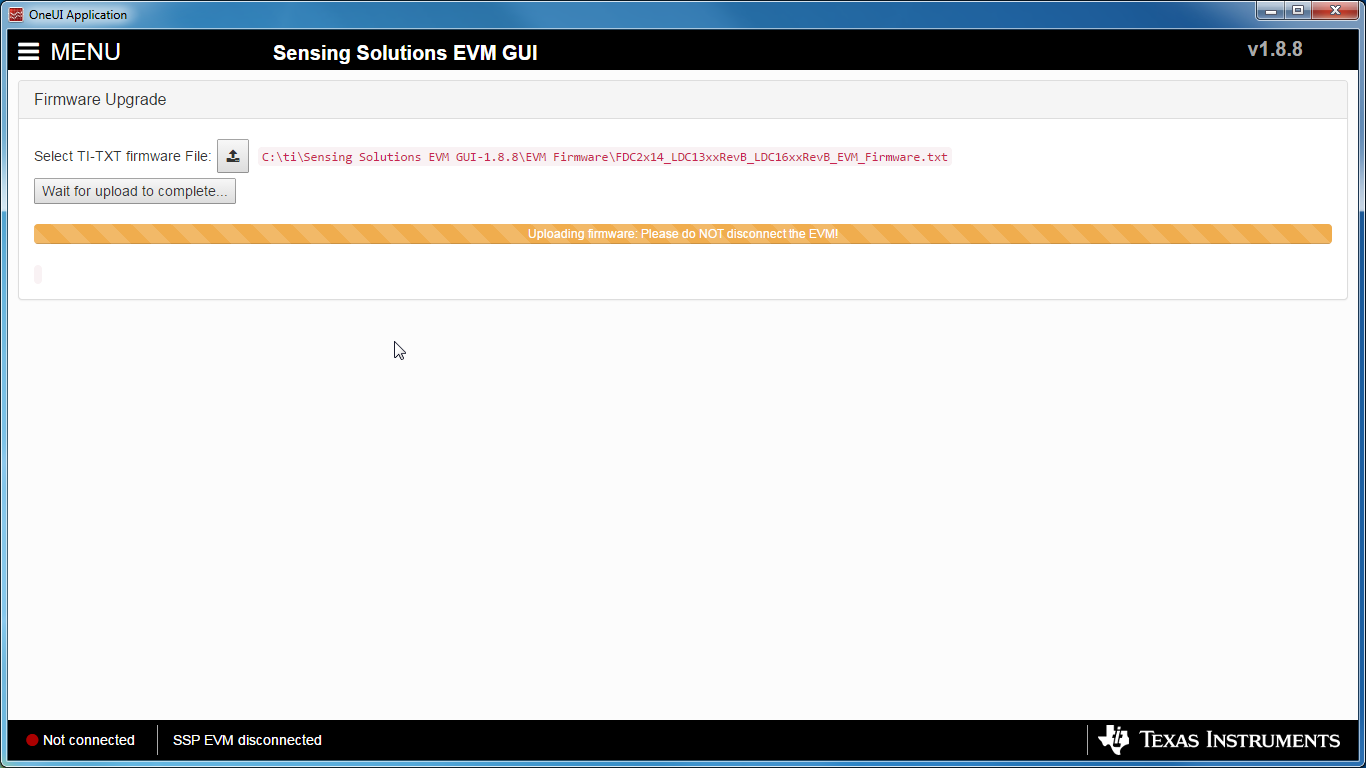 Figure 40. Firmware Upload in Progress
 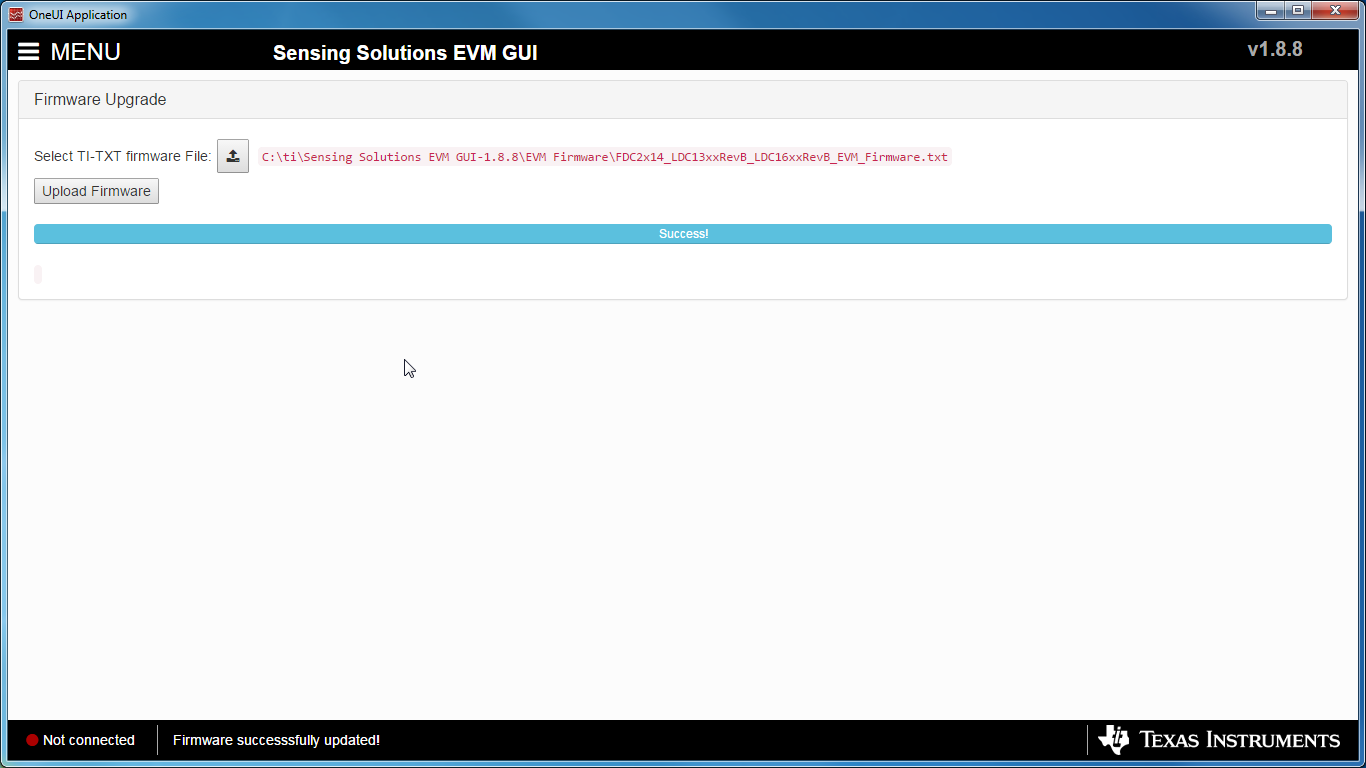 Figure 41. Firmware Upload Success