SLAU298A November 2009 – May 2021
- Trademarks
- 1ADS8555EVM-PDK Overview
- 2EVM Analog Interface
- 3Digital Interface
- 4Power Supplies
- 5Installing the ADS8555EVM Software
-
6ADS8555EVM Operation
- 6.1 Connecting the Hardware and Running the GUI
- 6.2 Jumper Settings for the ADS8555EVM
- 6.3 Modifying Hardware and Using Software to Evaluate Other Devices in the Family
- 6.4 EVM GUI Global Settings for ADC Control and Registers
- 6.5 Time Domain Display
- 6.6 Frequency Domain Display
- 6.7 Histogram Display
- 7Bill of Materials, Layout, and Schematics
- 8Revision History
5 Installing the ADS8555EVM Software
Download the latest version of the EVM GUI installer from the Tools and Software folder of the ADS8555EVM and run the GUI installer to install the EVM GUI software on your computer. Accept the license agreements and follow the on-screen instructions shown in Figure 5-1 to complete the installation.
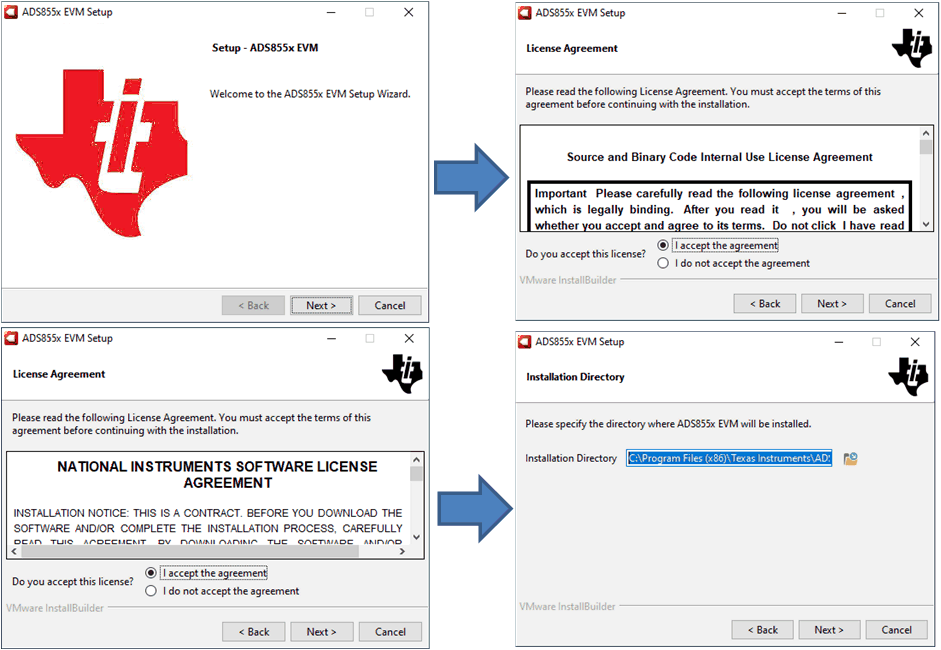 Figure 5-1 ADS8555 Software Installation
Prompts
Figure 5-1 ADS8555 Software Installation
PromptsAs a part of the ADS8555EVM GUI installation, a prompt with a Device Driver Installation (as shown in Figure 5-2) appears on the screen. Click Next to proceed.
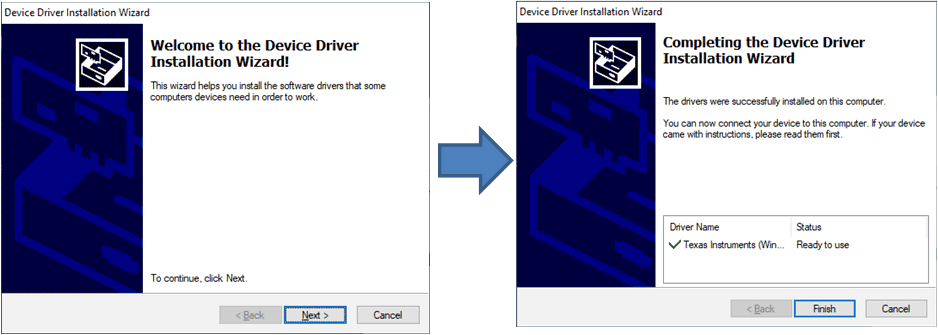 Figure 5-2 Device Driver Installation Wizard
Prompts
Figure 5-2 Device Driver Installation Wizard
PromptsThe ADS8555EVM requires the LabVIEW™ run-time engine and may prompt for the installation of this software, as shown in Figure 5-3, if not already installed.
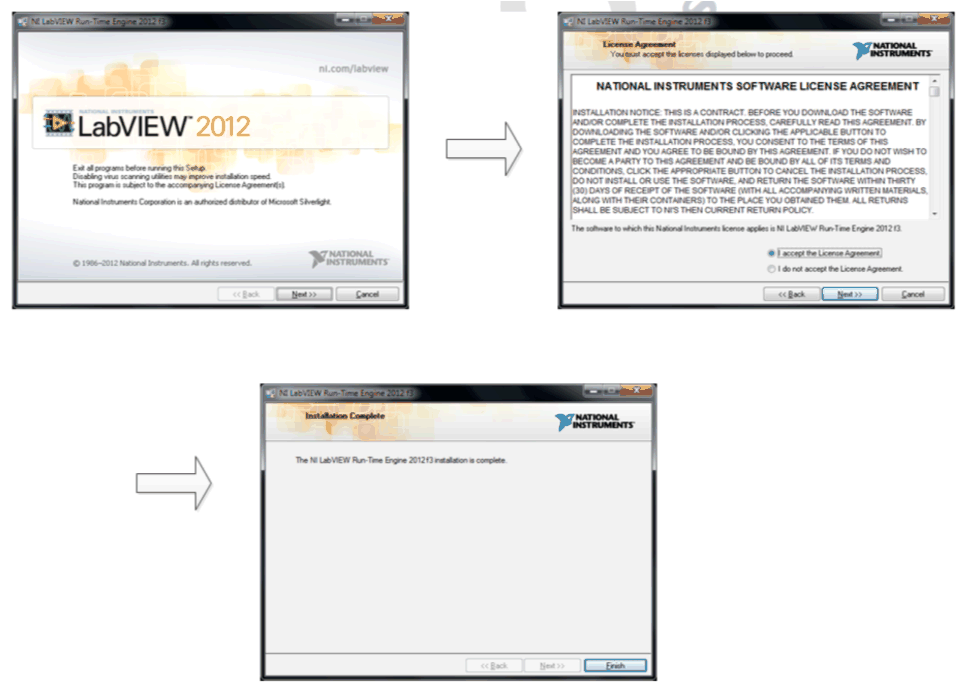 Figure 5-3 LabVIEW™ Run-Time Engine
Installation
Figure 5-3 LabVIEW™ Run-Time Engine
InstallationVerify that C:\Program Files (x86)\Texas Instruments\ADS8555EVM is as shown in Figure 5-4 after these installations.
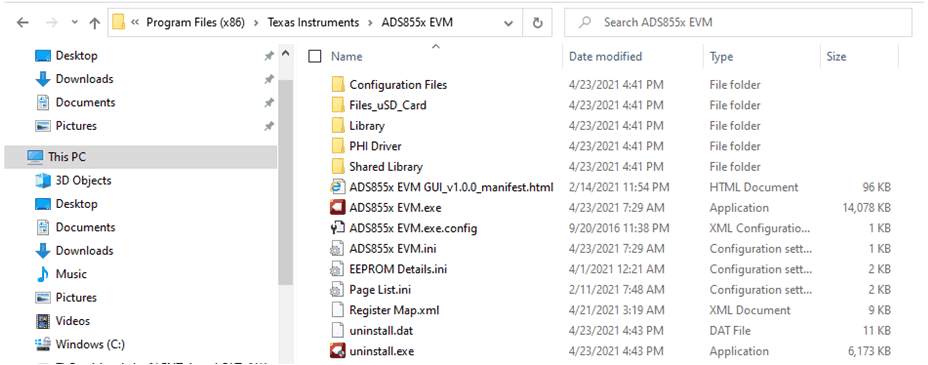 Figure 5-4 ADS8555EVM GUI Folder
Post-Installation
Figure 5-4 ADS8555EVM GUI Folder
Post-Installation