SLVUAC4A October 2014 – May 2021
4.5 Software Operation
This section provides descriptions of the EVM software.
The supplied software is used to communicate with the TPS65400 EVM. Click on the icon on the host computer to start the software. The software displays the main control panel to connect with the EVM board.
- Click on Rescan Slaves
- Click on LM26430-00F1 6a
- Click the No button on the popup dialog
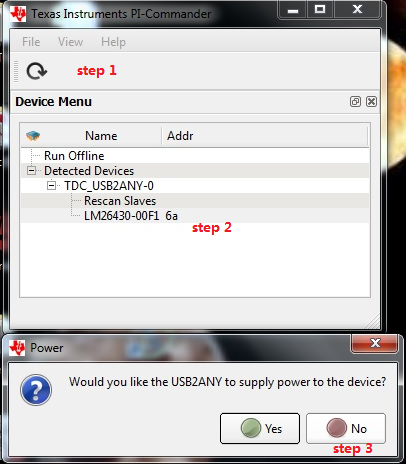 Figure 4-3 Connect to TPS65400 EVM with EVM GUI
 - Click on PMBus Register Page
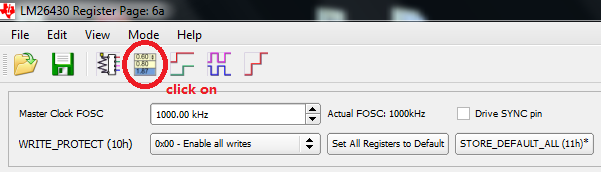 Figure 4-4 Go to Main Setting Panel
Then, a detail setting panel is presented as shown in Figure 4-5.
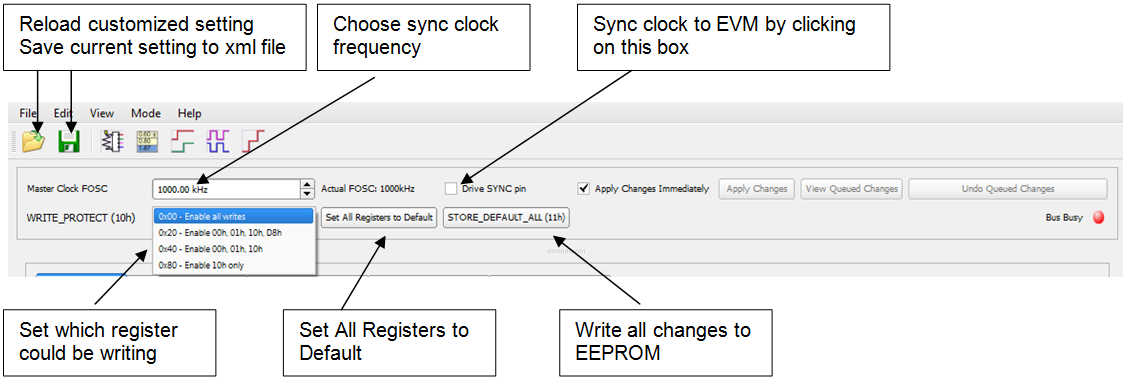 Figure 4-5 Global Commands
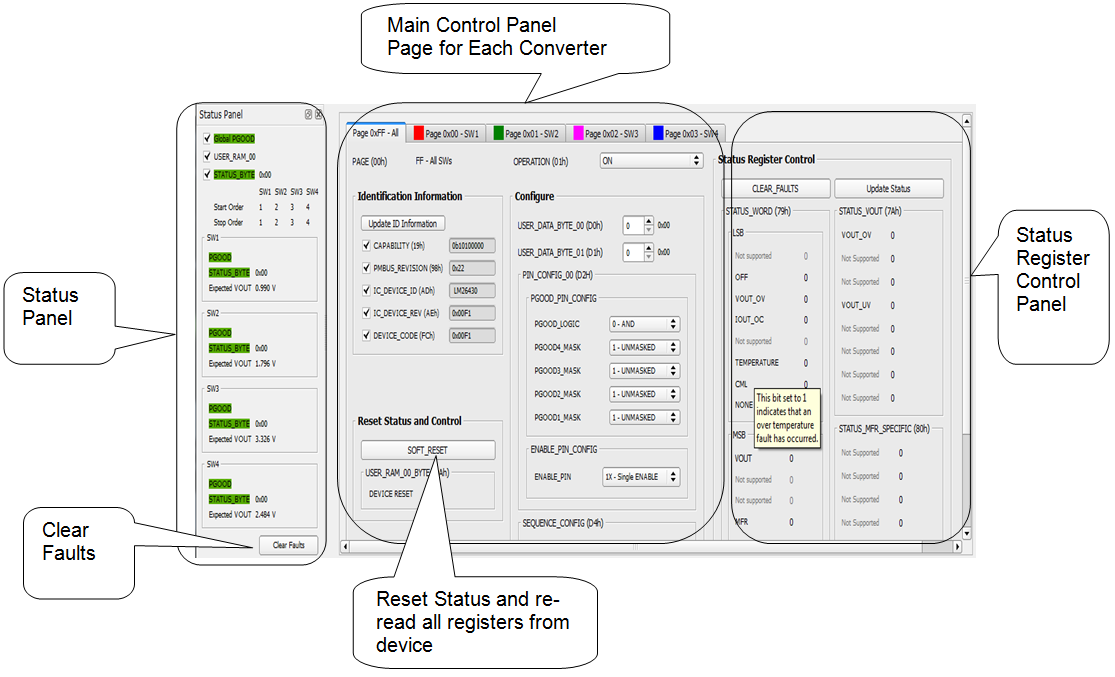 Figure 4-6 Status and Main Setting Panel
Figure 4-4 to Figure 4-9 show the control GUI interface. Vout voltage, phase shift, and power sequence are programmed with this GUI. Detailed information for each option is in the datasheet. Reference the datasheet and select the right option for your application (http://www.ti.com/products/tps65400).
One option is to Apply Changes Immediately; if this checkbox is selected, any change is immediately sent to the EVM. STORE_DEFAULT_ALL must be clicked to write all settings to EEPROM. EEPROM values can be read back from the EVM by clicking SOFT_RESET on Page 0xFF – ALL.
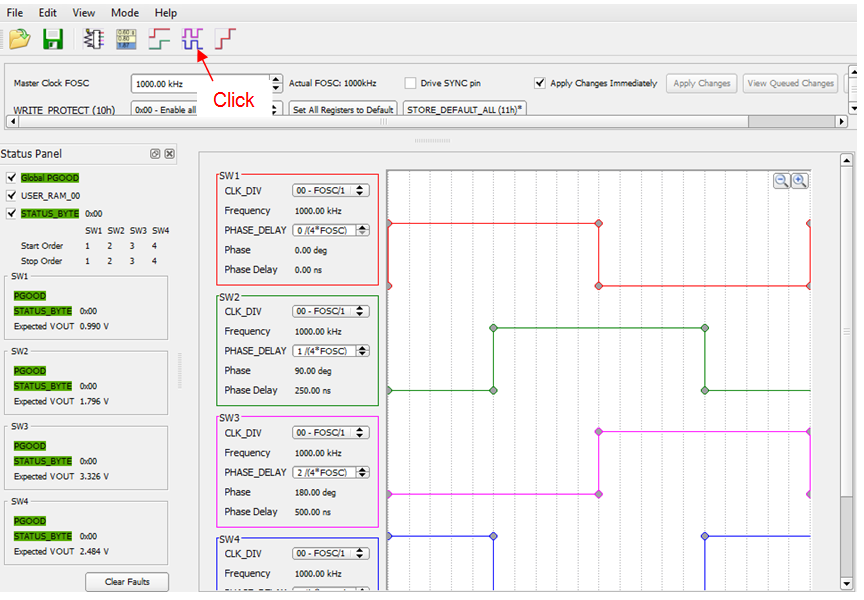 Figure 4-7 Phase Shift Panel
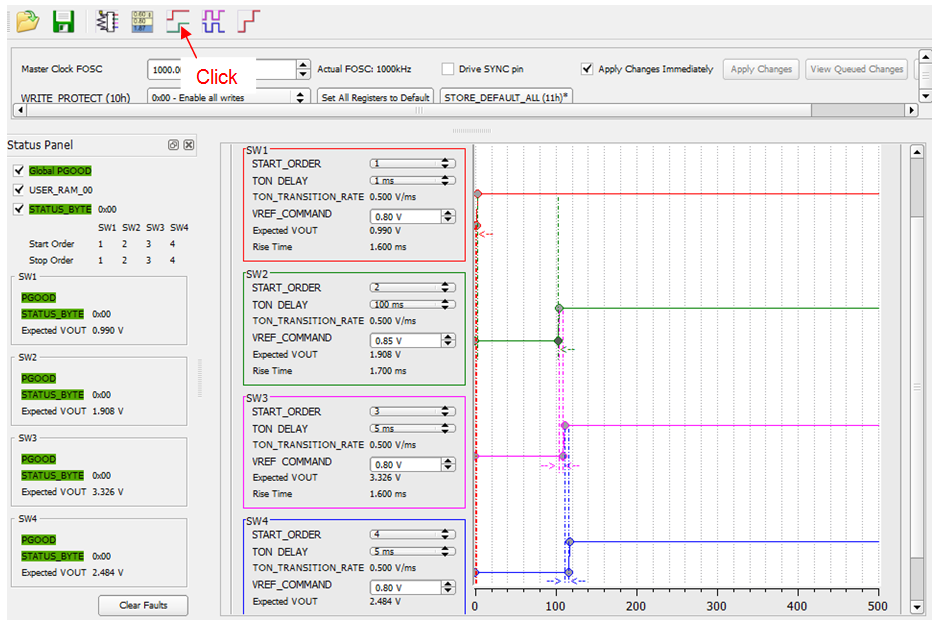 Figure 4-8 Power Sequence Panel
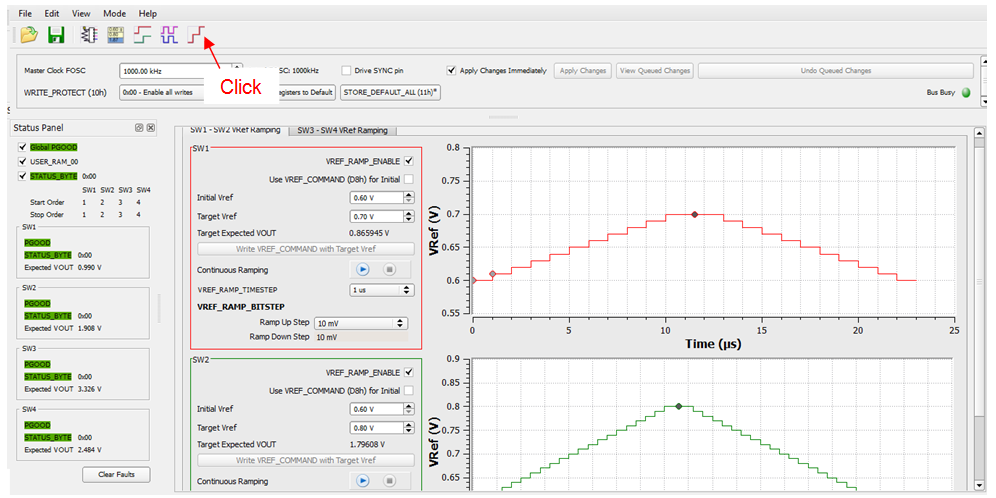 Figure 4-9 Vref Ramping Up and Down Panel