TIDUF42 January 2024
4.4 Test Results
To evaluate the reference design, complete the following steps:
- Download and install the TwinCAT on your Windows PC
- Launch the TwinCAT automation software
- Create an EtherCAT Project as shown in the TwinCAT software GUI:
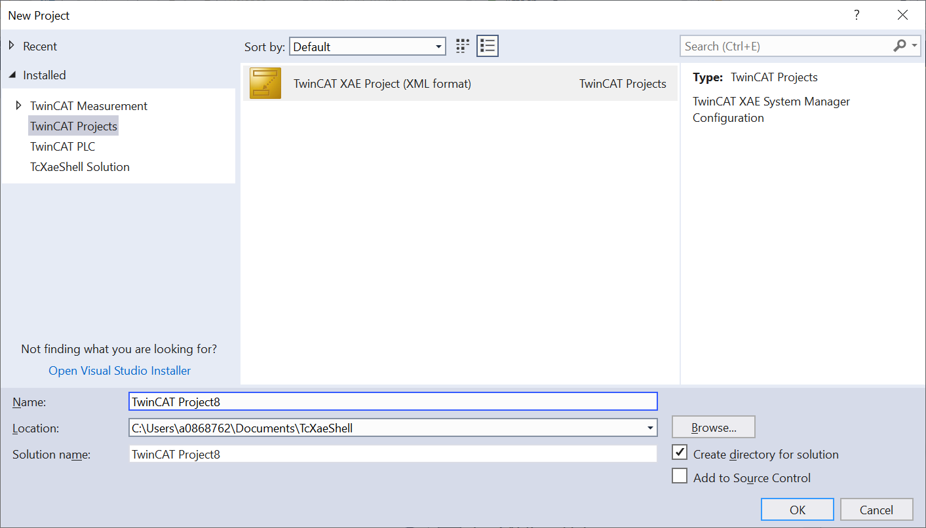 Figure 4-12 Creating an
EtherCAT® Project in TwinCAT
Figure 4-12 Creating an
EtherCAT® Project in TwinCAT - EtherCAT
CiA402 – Scan the device by right clicking on Devices → Scan …).
Use the following images to step through the process.
 Figure 4-13 Scan for
EtherCAT® device in TwinCAT
Figure 4-13 Scan for
EtherCAT® device in TwinCAT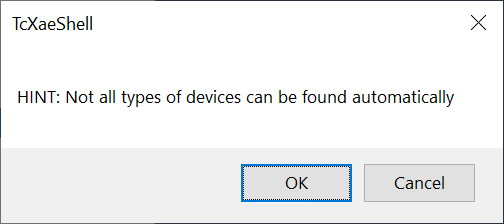 Figure 4-14 Scan for
EtherCAT® device in TwinCAT (2)
Figure 4-14 Scan for
EtherCAT® device in TwinCAT (2)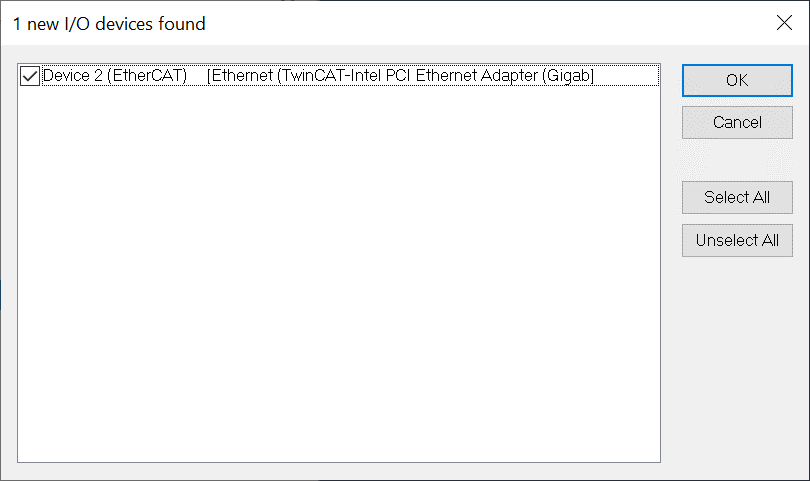 Figure 4-15 Scan for
EtherCAT® device in TwinCAT (3)
Figure 4-15 Scan for
EtherCAT® device in TwinCAT (3)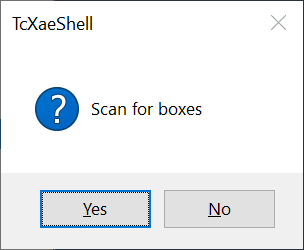 Figure 4-16 Scan for
EtherCAT® device in TwinCAT (4)
Figure 4-16 Scan for
EtherCAT® device in TwinCAT (4)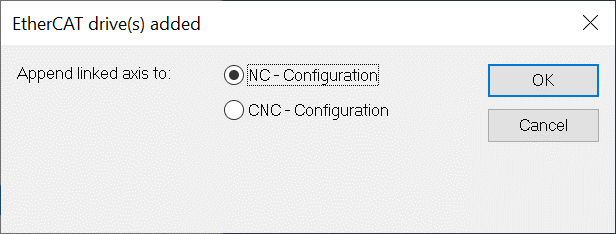 Figure 4-17 Scan for
EtherCAT® device in TwinCAT (5)
Figure 4-17 Scan for
EtherCAT® device in TwinCAT (5) - EtherCAT CiA402 – Device 1 (TI EtherCAT Toolkit CiA402 for AM243X.R5F) Found
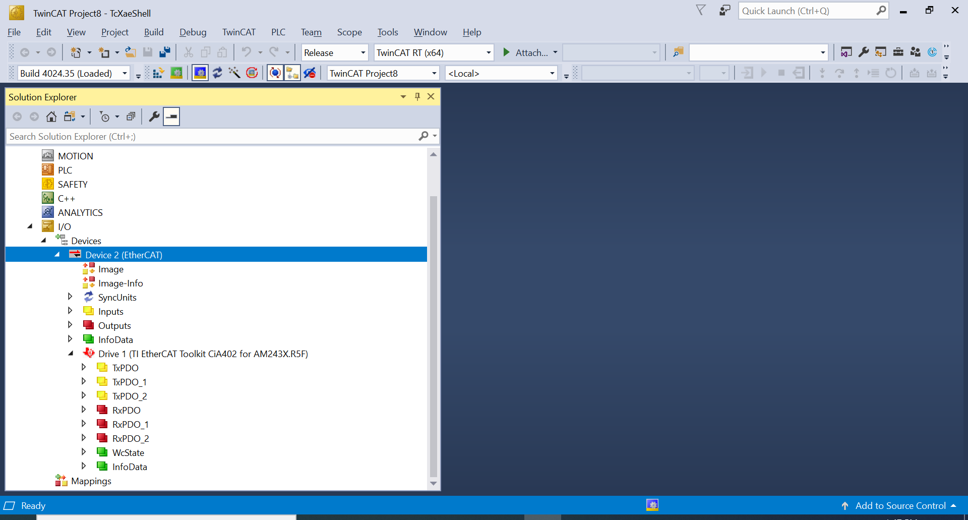 Figure 4-18 An EtherCAT® device is found by TwinCAT
 - EtherCAT
CiA402 – Change RxPDO (Motor 1) Target velocity to 240 (240 RPM)
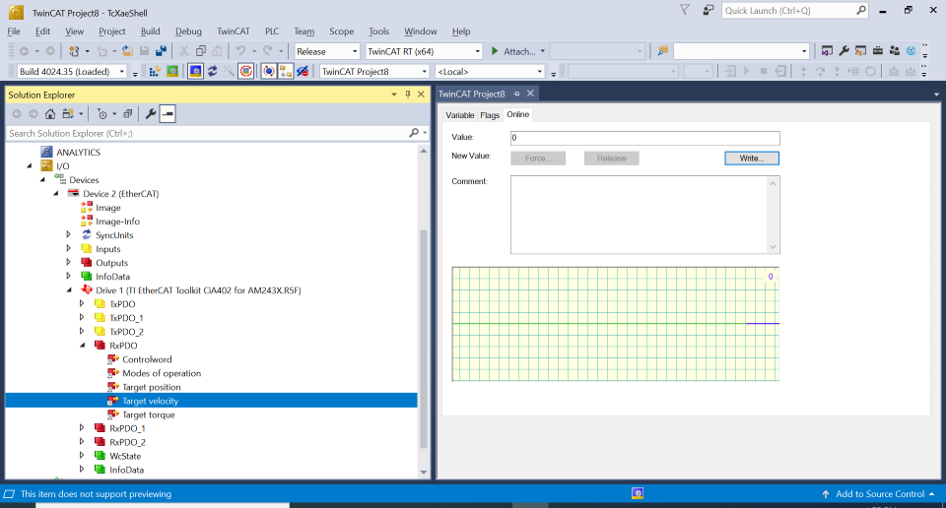 Figure 4-19 Change the Target
Velocity for Motor 1 in TwinCAT
Figure 4-19 Change the Target
Velocity for Motor 1 in TwinCAT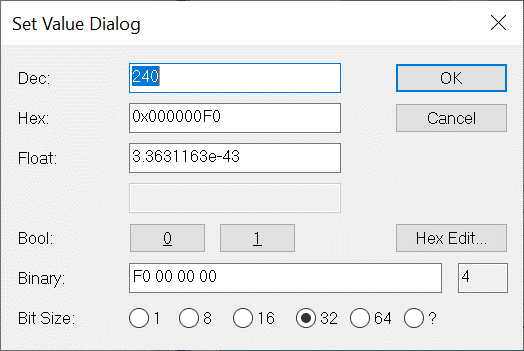 Figure 4-20 Change the Target
Velocity for Motor 1 in TwinCAT (2)
Figure 4-20 Change the Target
Velocity for Motor 1 in TwinCAT (2)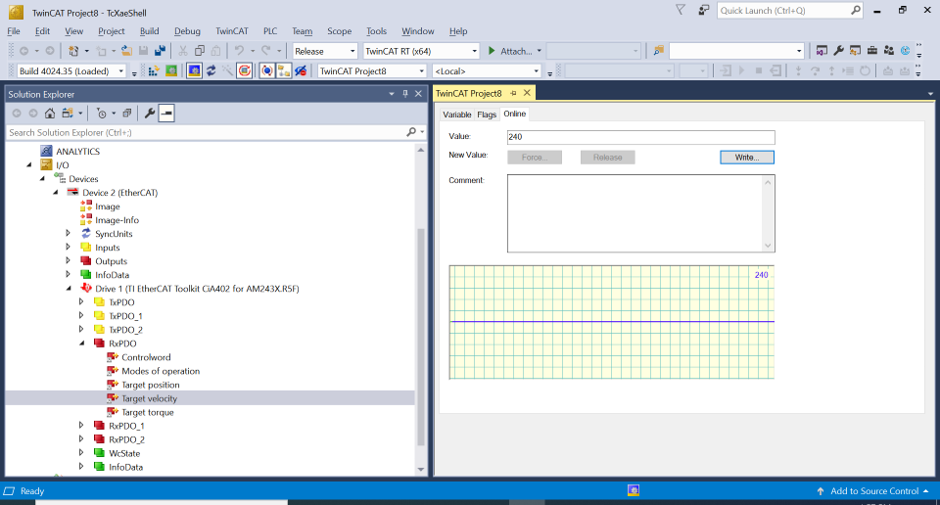 Figure 4-21 Change the Target
Velocity for Motor 1 in TwinCAT (3)
Figure 4-21 Change the Target
Velocity for Motor 1 in TwinCAT (3) - EtherCAT
CiA402 – Change RxPDO (Motor 1) Modes of Operation to "9" (Cyclic
synchronous velocity mode)
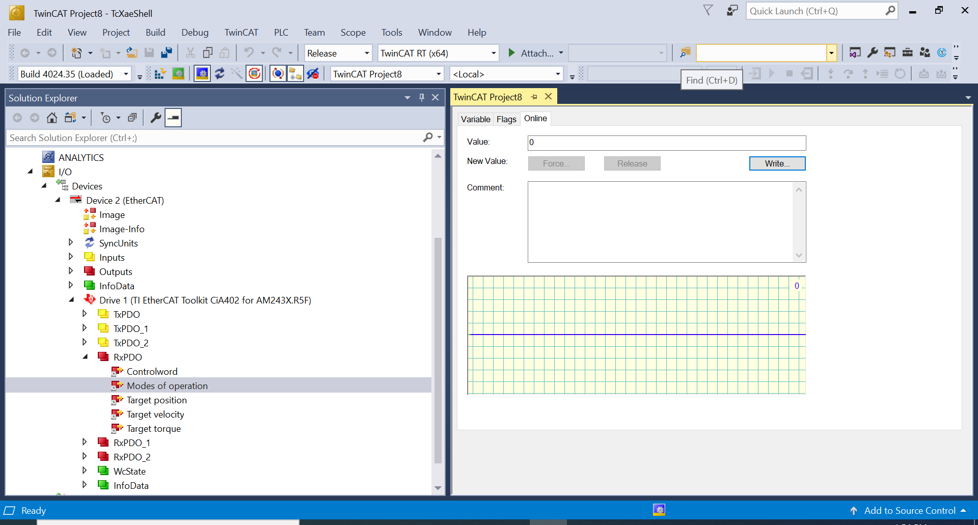 Figure 4-22 Change the Operation
Mode for Motor 1 in TwinCAT
Figure 4-22 Change the Operation
Mode for Motor 1 in TwinCAT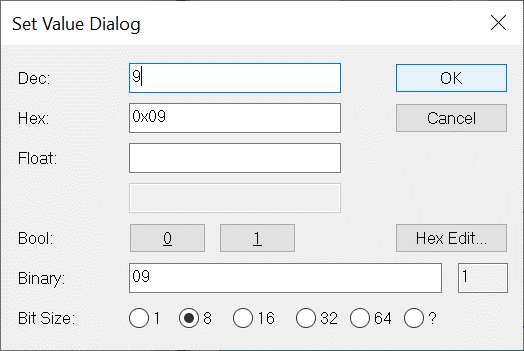 Figure 4-23 Change the Operation
Mode for Motor 1 in TwinCAT (2)
Figure 4-23 Change the Operation
Mode for Motor 1 in TwinCAT (2) - EtherCAT CiA402 – Change RxPDO (Motor 1) Controlword to "15" (Switch
On | Enable Voltage | Quick Stop | Enable
Operation)
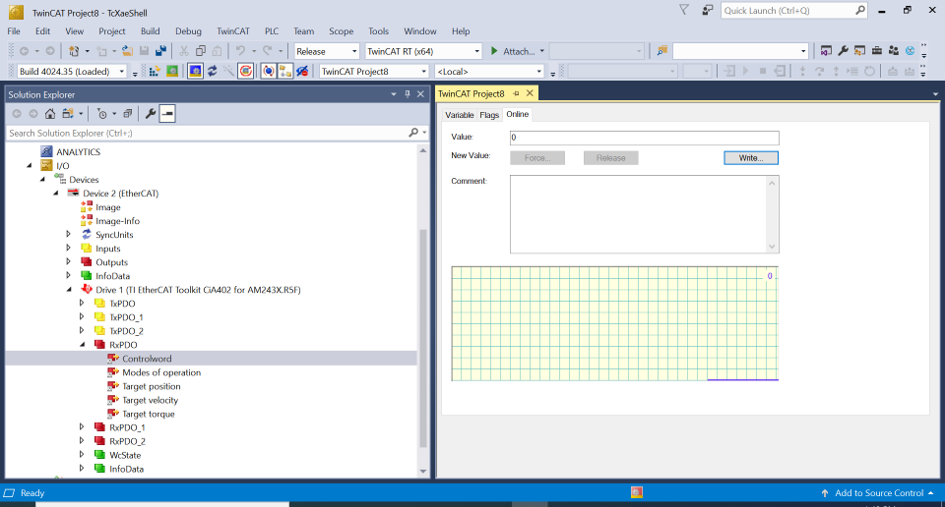 Figure 4-24 Change the Controlword for Motor 1 in TwinCAT
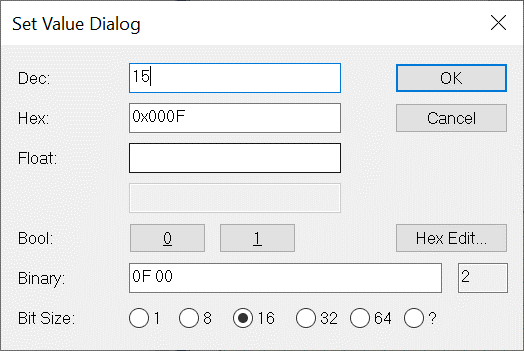 Figure 4-25 Change the Controlword for Motor 1 in TwinCAT (2)
 - After changing this setting, the speed of Motor 1 changes from 120 RPM to 240 RPM
- EtherCAT CiA402 – Check TxPDO (Motor 1), make sure Velocity actual value
is 240 (240 RPM)
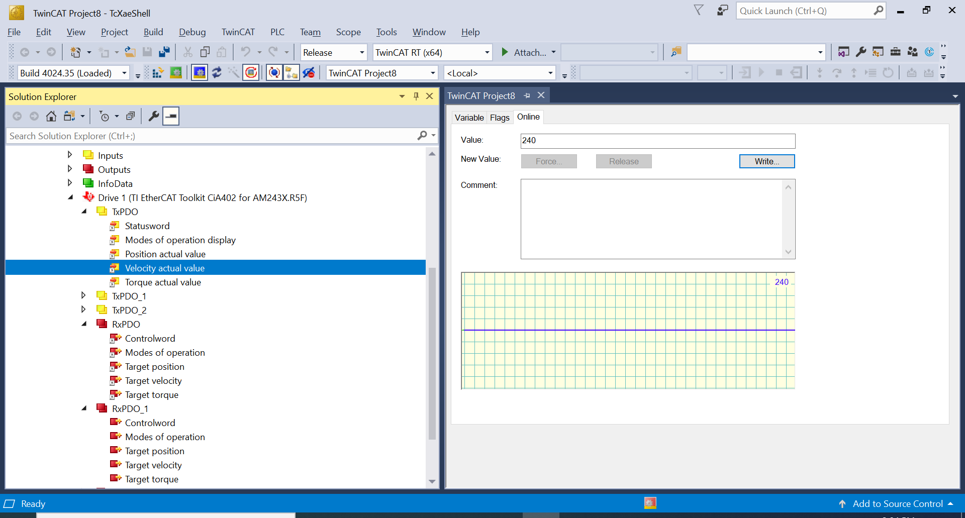 Figure 4-26 Check the Actual
Velocity for Motor 1 in TwinCAT
Figure 4-26 Check the Actual
Velocity for Motor 1 in TwinCAT - EtherCAT CiA402 – Change RxPDO_1 (Motor 2) Target velocity to 180 (180
RPM)
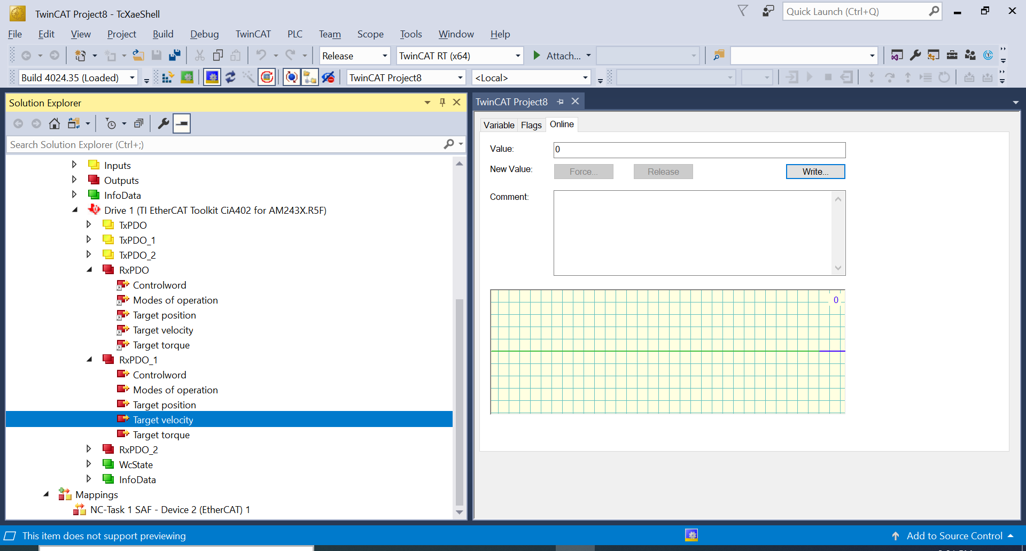 Figure 4-27 Change the Target Velocity for Motor 2 in TwinCAT
 - EtherCAT
CiA402 – Change RxPDO_1 (Motor 2) Modes of Operation to "9" (Cyclic
synchronous velocity mode)
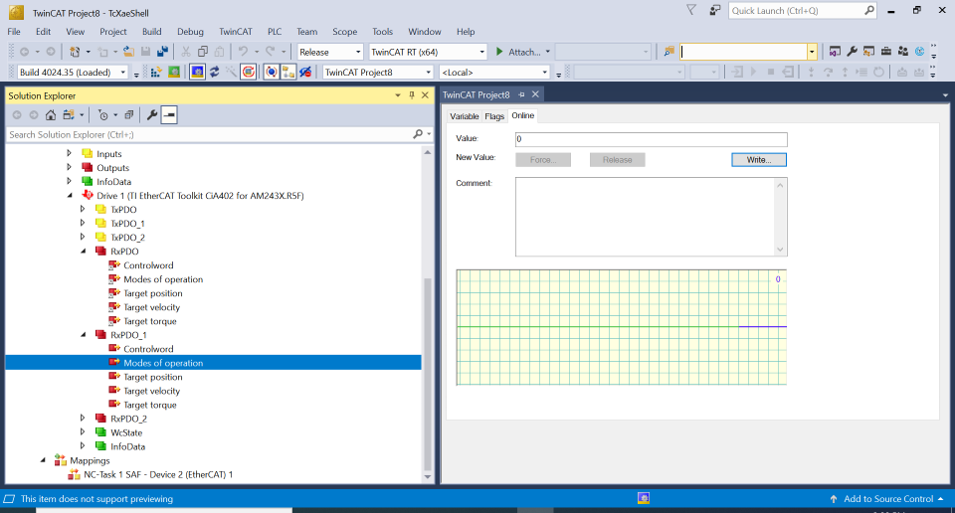 Figure 4-28 Change the Operation
Mode for Motor 2 in TwinCAT
Figure 4-28 Change the Operation
Mode for Motor 2 in TwinCAT - EtherCAT CiA402 – Change RxPDO_1 (Motor 2) Controlword to "15" (Switch
On | Enable Voltage | Quick Stop | Enable
Operation)
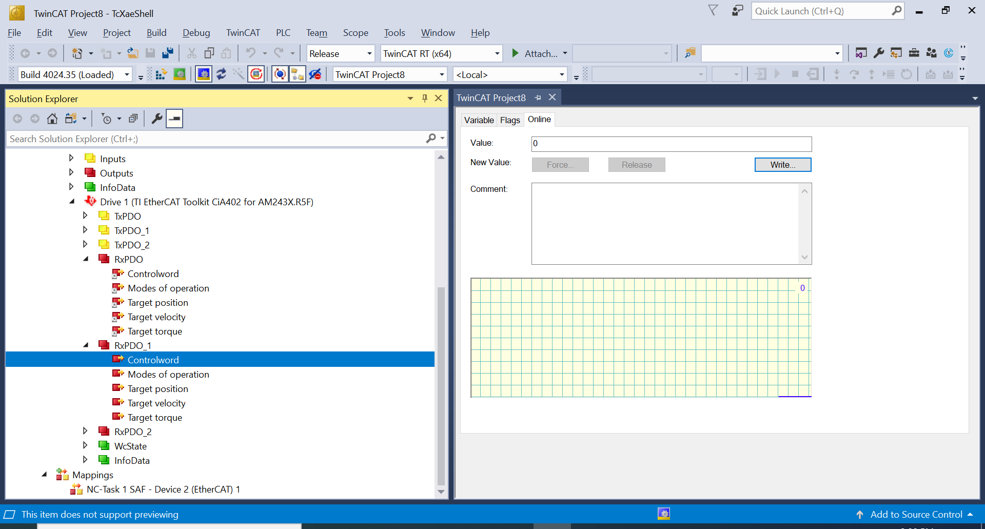 Figure 4-29 Change the Controlword for Motor 2 in TwinCAT
 - After the previous change, the target speed of motor 2 is 180 RPM
- EtherCAT
CiA402 – Check TxPDO1 (Motor 2), make sure Velocity actual value is 180
(180 RPM)
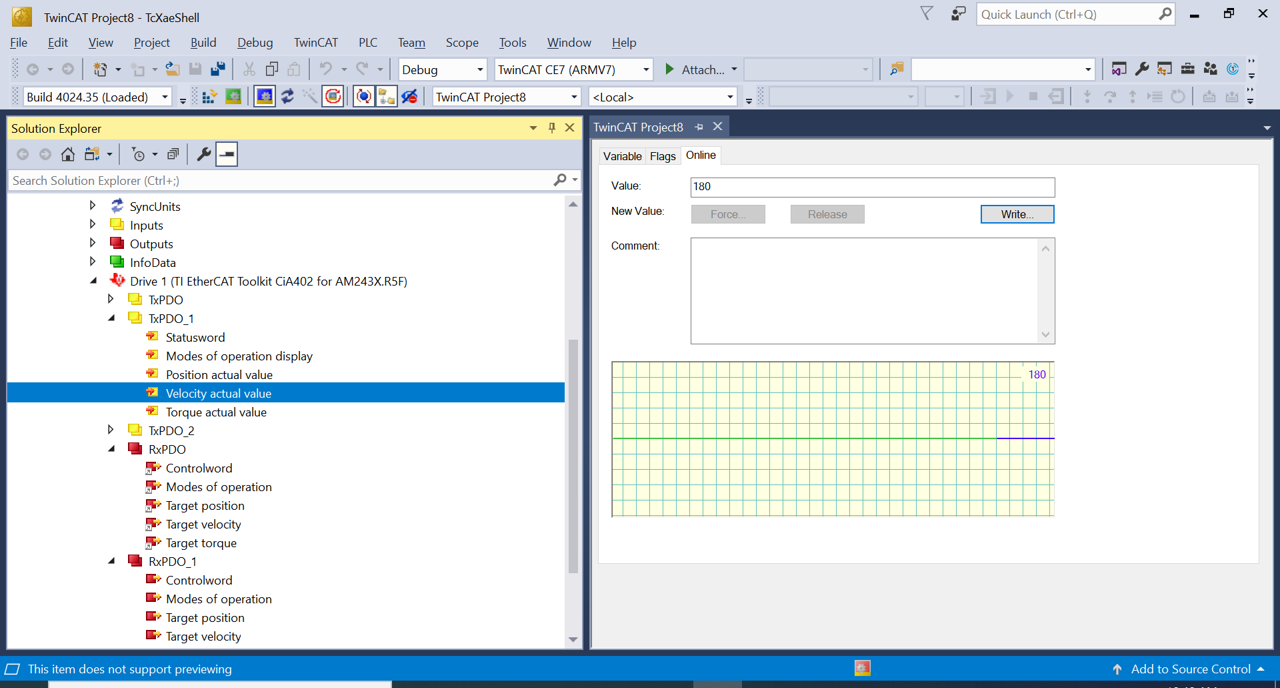 Figure 4-30 Check the Actual
Velocity for Motor 2 in TwinCAT
Figure 4-30 Check the Actual
Velocity for Motor 2 in TwinCAT