SBAU436B January   2024  – February 2025


  1.   1
  2.   Description
  3.   Get Started
  4.   Features
  5.   Applications
  6.   6
  7. 1Evaluation Module Overview
    1. 1.1 Introduction
    2. 1.2 Kit Contents
    3. 1.3 Specification
    4. 1.4 Device Information
  8. 2Hardware
    1. 2.1 EVM Analog Input Options
      1. 2.1.1 Differential SMA Inputs
      2. 2.1.2 Single-Ended SMA Inputs
      3. 2.1.3 Differential Input Pins
    2. 2.2 Power Supplies
    3. 2.3 ADC Connections and Decoupling
    4. 2.4 ADC Input Amplifiers
    5. 2.5 VCOM Buffer
    6. 2.6 Voltage Reference
    7. 2.7 Clock Tree
    8. 2.8 Digital Interfaces
    9. 2.9 Using the ADS1278EVM With an External Controller
  9. 3Software
    1. 3.1 ADS1278EVM Software Installation
  10. 4Implementation Results
    1. 4.1 Hardware Connections
    2. 4.2 GUI Settings for ADC Control
    3. 4.3 Time Domain Display
    4. 4.4 Frequency Domain Display
    5. 4.5 Histogram Display
  11. 5Hardware Design Files
    1. 5.1 Schematics
    2. 5.2 PCB Layouts
    3. 5.3 Bill of Materials (BOM)
  12. 6Additional Information
    1. 6.1 Trademarks
  13. 7References
  14. 8Revision History
  15. 9Revision History

ADS1278EVM Software Installation

Download the latest version of the EVM GUI installer from the Tools and Software folder of the ADS1278 EVM and run the GUI installer to install the EVM GUI software on your computer.

CAUTION: Manually disable any antivirus software running on the computer before downloading the EVM GUI installer onto the local hard disk. Depending on the antivirus settings, an error message can appear or the installer.exe file can be deleted.

As shown in Figure 3-1, accept the license agreements and follow the on-screen instructions to complete the installation.
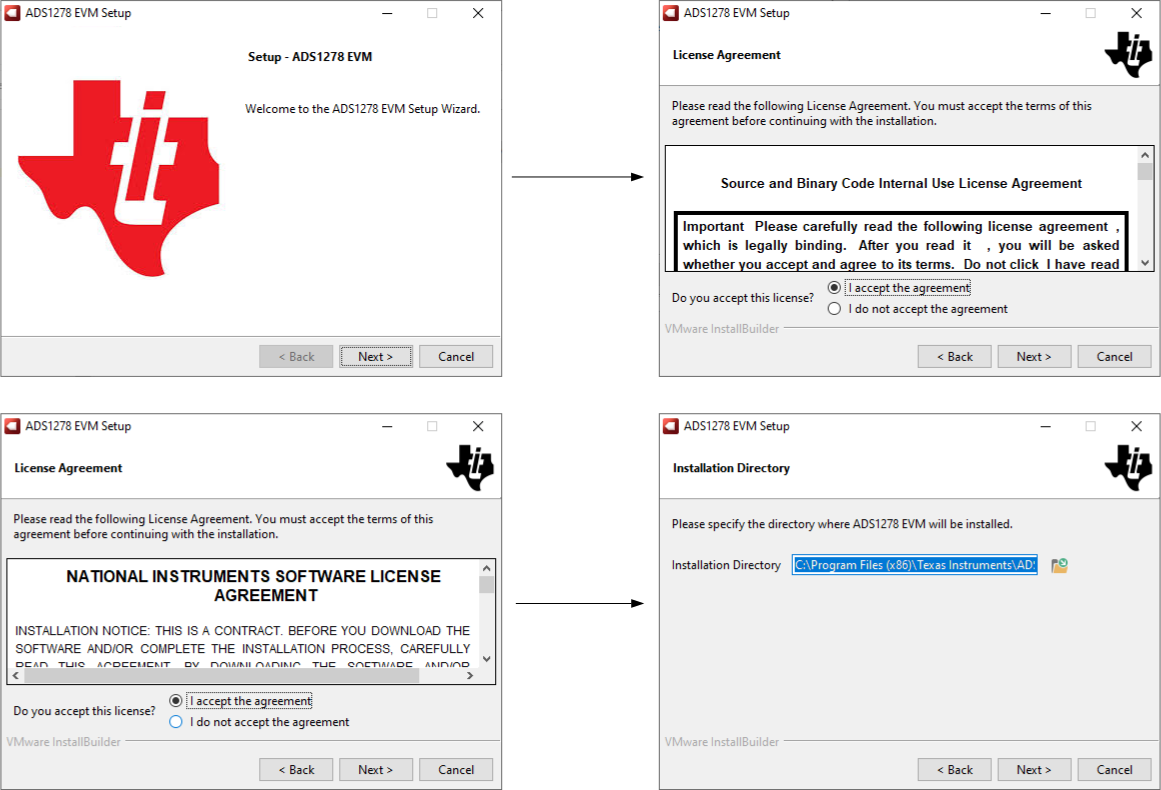
ADS1278V2EVM-PDK GUI Installation PromptsFigure 3-1 GUI Installation Prompts

As a part of the ADS1278 EVM GUI installation, install the Device Driver as shown in Figure 3-2. Click Next to proceed.
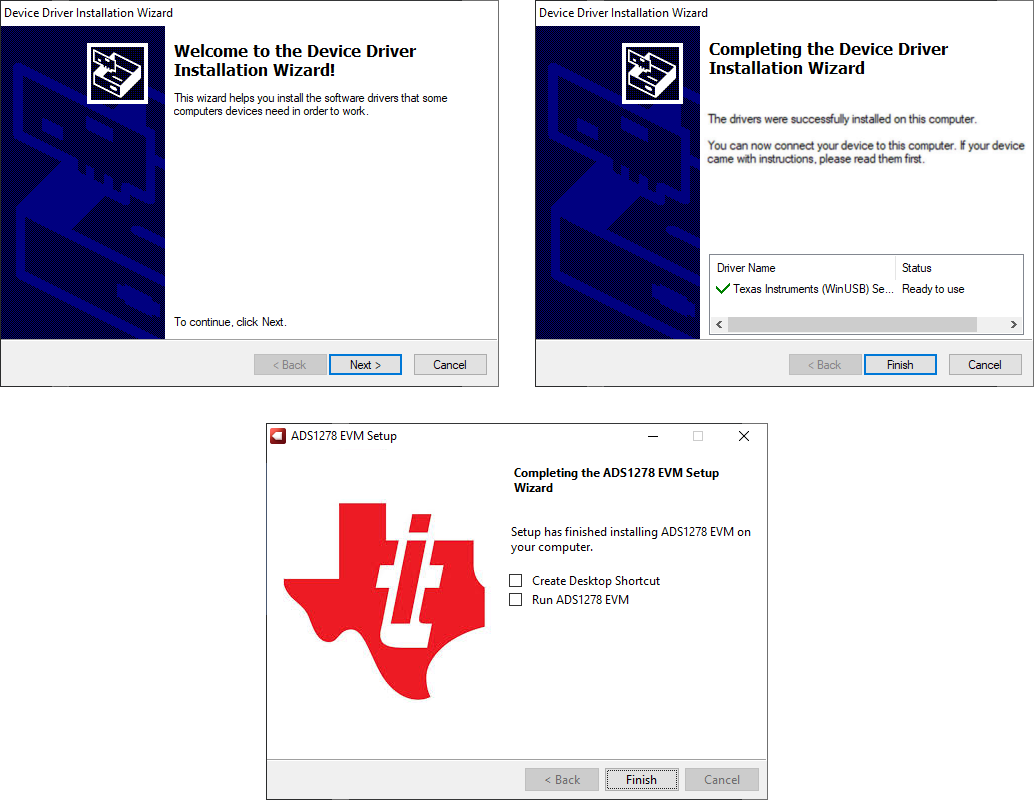
ADS1278V2EVM-PDK Device Driver Installation
                    Prompts Figure 3-2 Device Driver Installation Prompts

The ADS1278 EVM requires the LabVIEW™ run-time engine and can prompt for the installation of this software if the LabVIEW run-time engine is not already installed, as shown in Figure 3-3.

ADS1278V2EVM-PDK LabVIEW Runtime Installation
                    Prompts Figure 3-3 LabVIEW Runtime Installation Prompts