SPRACM5 April 2019 AM3351 , AM3351 , AM3352 , AM3352 , AM3354 , AM3354 , AM3356 , AM3356 , AM3357 , AM3357 , AM3358 , AM3358 , AM3359 , AM3359
4 Merging the WolfSSL Code and Building Regarding the NIMP FTP Example
Create the three sub-folders (see Figure 1) in your code base, then put those folders under the parent folder named: wolfSSL.
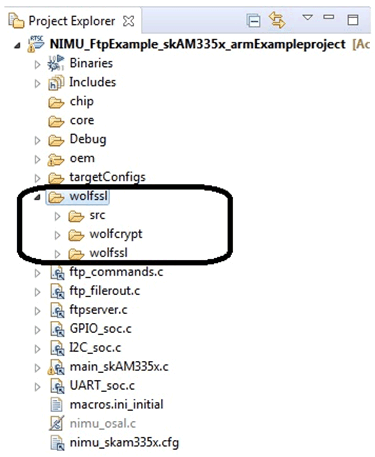 Figure 1. Project Arch to Create Three Subfolders for wolfSSL
 - Copy wolfssl-master\src to (for example):
- Copy wolfssl-master\wolfcrypt\src to (for example):
- Copy the wolfssl-master\wolfssl\ files to (for example):
- Copy the wolfssl-master\wolfssl\wolfcrypt code (without “port” folder”) to (for example):
- Modify some codes:
- In the wolfssl\src\internal.c, add the code as shown in Figure 8.
- wolfssl\src\random_rng_Porting.c
- Add the two parts shown in Figure 10 into the file: nimu_skam335x.cfg.
- In the wolfssl\src\internal.c file, add the two parts:
- wolfSSL_SetIORecv
- wolfSSL_SetIOSend
- Add the “must-have” compile options for wolfSSL.
- Add the Variables for environment including use.
- Adding the variable to the environment.
- Project settings:
- Product settings:
- XDCtools
- SysBios
- PDK
- NDK
- Target config:
- It needs to choose XDS100V2 USB
- Board of device is: SK_AM3358
- Build should be successful.
If you are installing all of the TI packages, then, go to pdk_am335x_1_0_10\packages\MyExampleProjects\NIMU_FtpExample_skAM335x_armExampleproject\wolfssl\src.
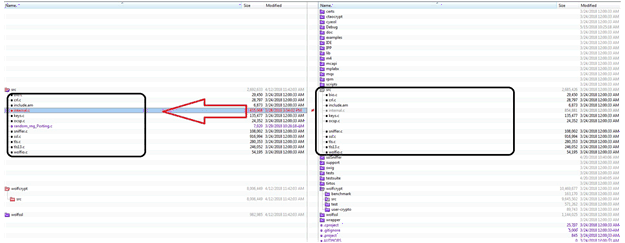 Figure 2. Copy wolfssl\src
 If you are installing all of the TI packages, then, go to pdk_am335x_1_0_10\packages\MyExampleProjects\NIMU_FtpExample_skAM335x_armExampleproject\wolfssl\wolfcrypt\src.
 Figure 3. Copy wolfssl\wolfcrypt\src
 Do not copy the “port” dir.
Do not copy the .asm .s file.
Figure 4 is marked with “X”.
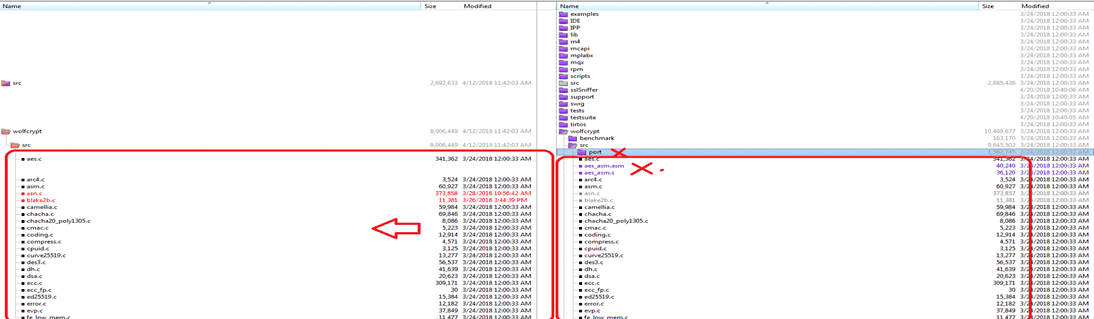 Figure 4. Ignore the .s/.asm Files
 If you are installing all the TI packgeI, then, go to pdk_am335x_1_0_10\packages\MyExampleProjects\ NIMU_FtpExample_skAM335x_armExampleproject\wolfssl\wolfSSL.
Figure 5. Copy wolfssl\wolfSSL If you are installing all the TI packge, then, go to pdk_am335x_1_0_10\packages\MyExampleProjects\NIMU_FtpExample_skAM335x_armExampleproject\wolfssl\wolfSSL\wolfcrypt.
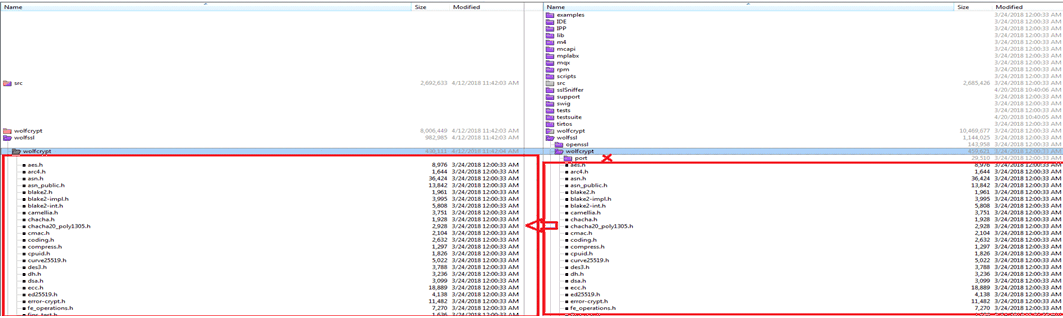 Figure 6. Copy wolfssl\wolfSSL\wolfcrypt
 In the wolfssl\wolfcrypt\src\random.c, add the code as shown in Figure 7.
 Figure 7. random.c Modification
  Figure 8. internal.c Modification
 Add a new file (for example):
Reference the random_rng_Porting.c file in this zip file: 2018_5_15_WolfSSL_Importan_Temp_Backup_Client_Server_All_Okay_Release.
Download from here.
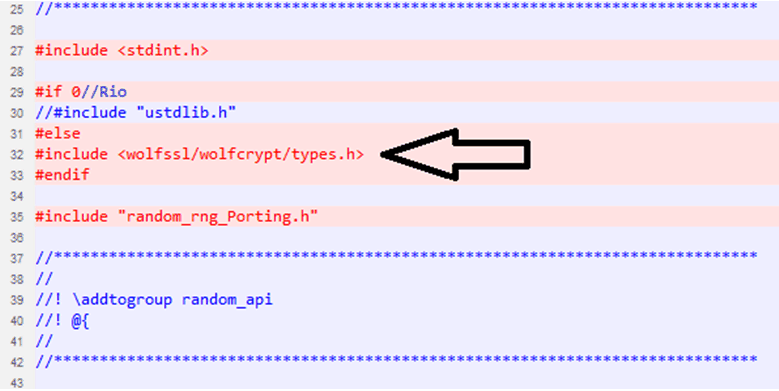 Figure 9. random_rng_Porting.c Modification
 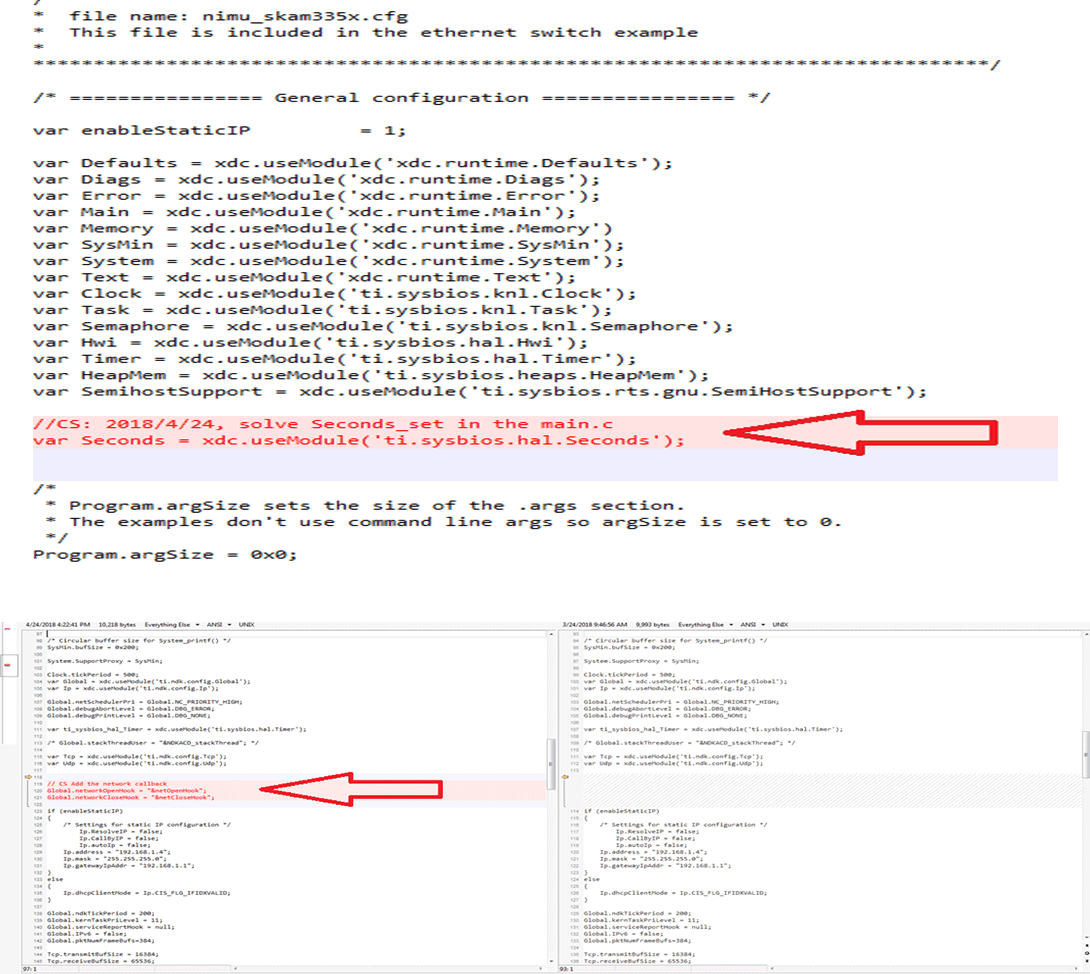 Figure 10. nimu_skam335x.cfg Modification
 The first part is to register the user I/O call back:
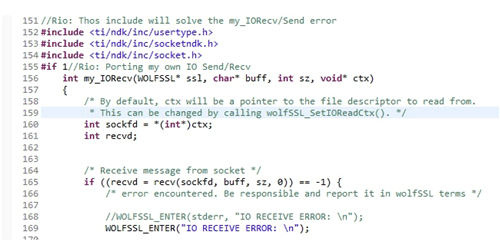 Figure 11. My Own IO Callback Regs
 Another one is to get the system time, this is related with the NO_ASN_TIME/ASN_TIME config.
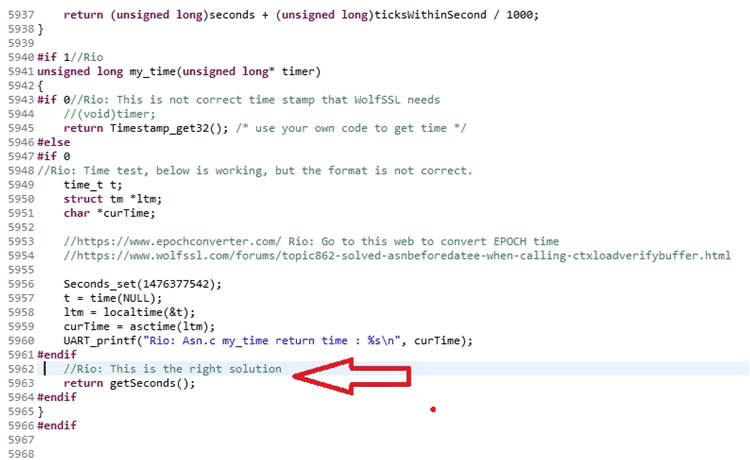 Figure 12. My Time Modification
 For example, xNO_FILESYSTEM is to disable the “NO_FILESYSTEM”.
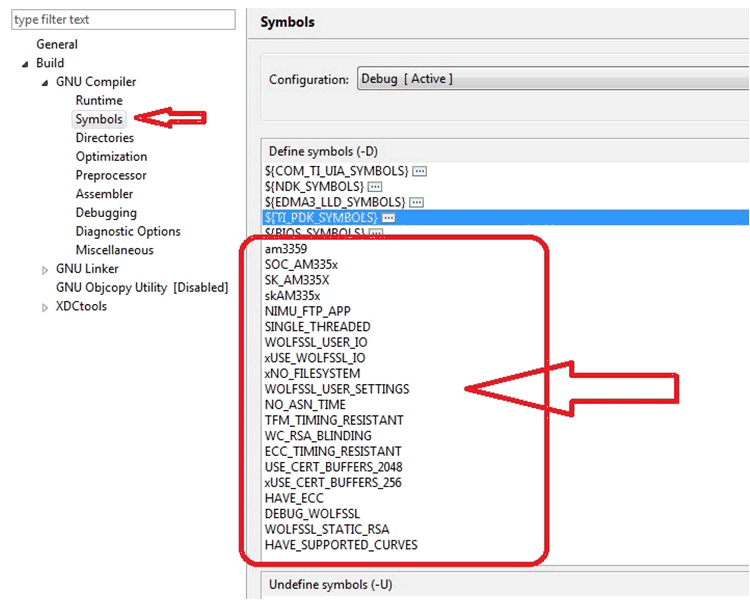 Figure 13. Compile Definition
 Add the included folder for the wolfSSL used header file.
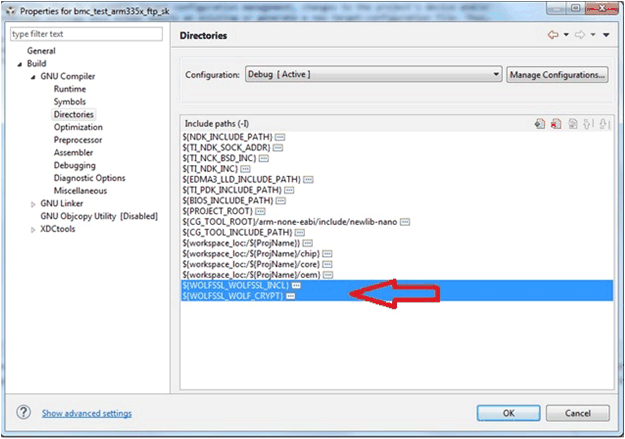 Figure 14. Include Path Setting Part 1
 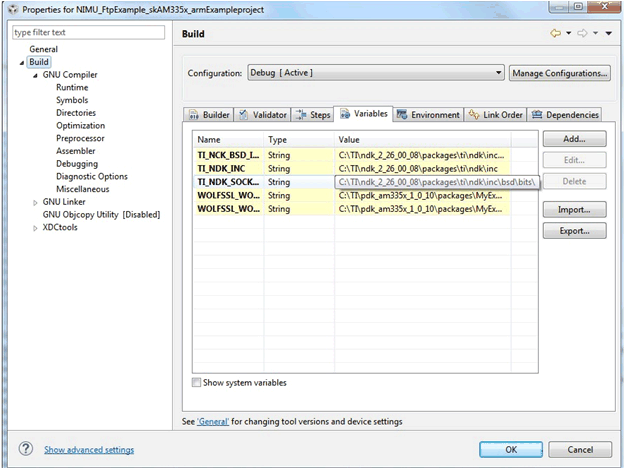 Figure 15. Include Path Setting Part 2
 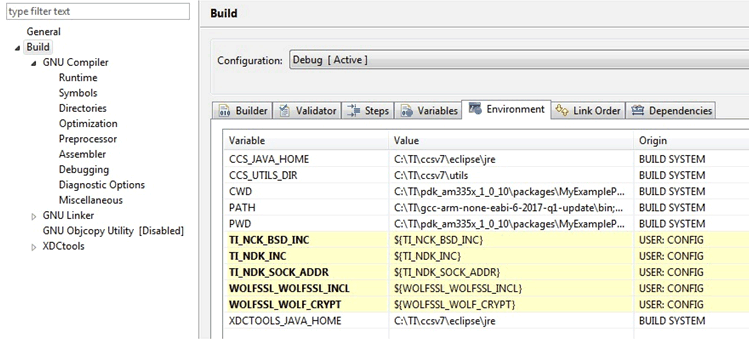 Figure 16. Include Path Setting Part 3
 Select the right compiler version and the boards. AM335SK can use the ICE_AM3359.
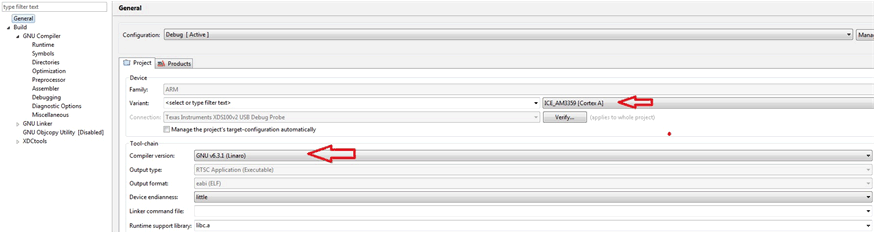 Figure 17. Project Setting
 Please make sure the right versions of:
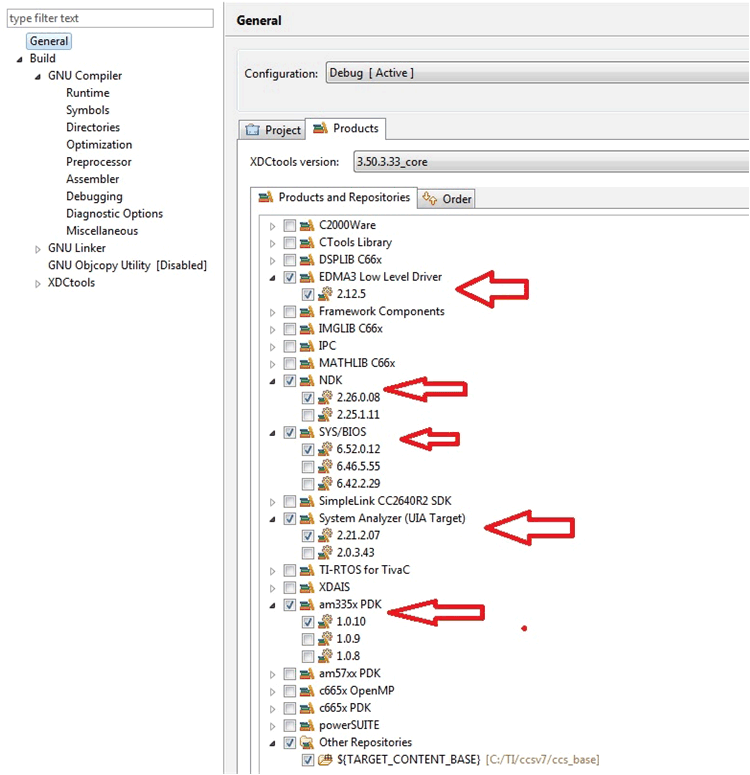 Figure 18. Product Setting
 The important key for the download image and debug is the JTAG.
You can test the connection while finishing your own setting of the “ccxml.
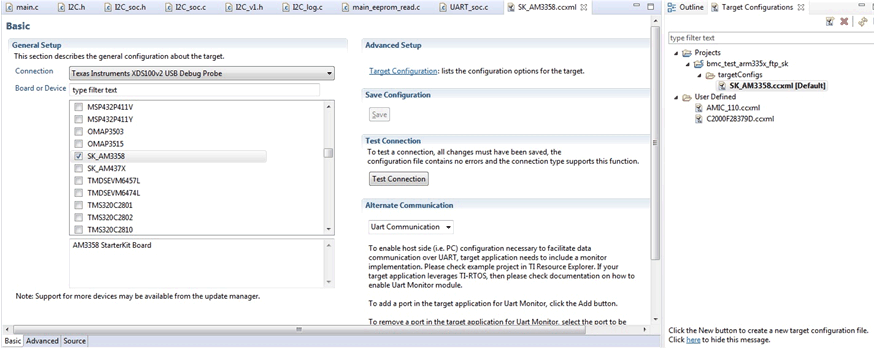 Figure 19. Target Config
 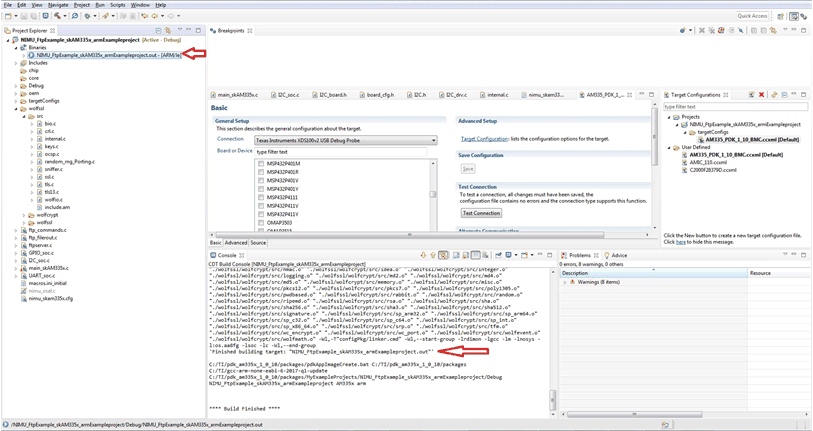 Figure 20. Project Building