SBAU456 September   2024 ADS9212


  1.   1
  2.   Description
  3.   Features
  4.   4
  5. 1Evaluation Module Overview
    1. 1.1 Introduction
    2. 1.2 Kit Contents
    3. 1.3 Specification
    4. 1.4 Device Information
  6. 2Hardware
    1. 2.1 ADS9212EVM Quick Start Guide
    2. 2.2 Power Supplies
      1. 2.2.1 USB Power and When to Power the Board Externally
    3. 2.3 Analog Interface
      1. 2.3.1 ADC Input SMA Connections
      2. 2.3.2 Voltage Reference
    4. 2.4 Digital Interface Connections
    5. 2.5 Digital Interface and Clock Inputs
  7. 3Software
    1. 3.1 ADS9212EVM-GUI Software Installation
    2. 3.2 USB Driver Installation
    3. 3.3 Using the CONFIG Tab
    4. 3.4 Using the Capture Tab
    5. 3.5 Using the INL/DNL Tool
    6. 3.6 Using the Histogram Tab
  8. 4Hardware Design Files
    1. 4.1 Schematics
      1. 4.1.1 ADS9212EVM Schematics
    2. 4.2 Layout
    3. 4.3 Bill of Materials (BOM)
  9. 5Additional Information
    1. 5.1 Trademarks
  10. 6Related Documentation

Layout

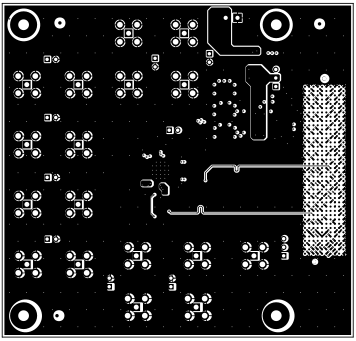
The figures below show the PCB layer plots for the ADS9212EVM.

ADS9212EVM Top OverlayFigure 4-4 Top Overlay
ADS9212EVM Ground LayerFigure 4-6 Ground Layer
ADS9212EVM Bottom LayerFigure 4-8 Bottom Layer
ADS9212EVM Top LayerFigure 4-5 Top Layer
ADS9212EVM Power LayerFigure 4-7 Power Layer
ADS9212EVM Bottom OverlayFigure 4-9 Bottom Overlay