SLVUBZ4 February 2021 TPS25750
2.1 Default View
After the TPS25750 Application Customization Tool starts up, a default form appears in the center of the page. On the right side of the form are common features that can be useful. The top navigation bar provides links to documentation for the tool.
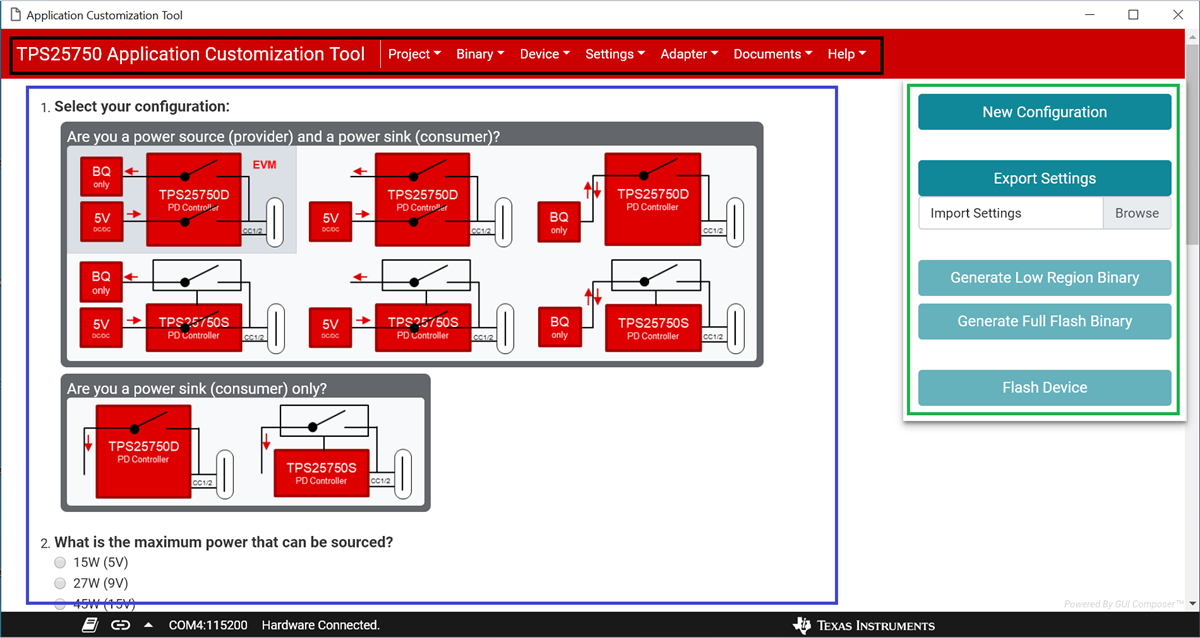 Figure 2-1 Main view of the tool is outlined
in blue. The right side panel is outlined in green, and the top menu bar is outlined
in black
Figure 2-1 Main view of the tool is outlined
in blue. The right side panel is outlined in green, and the top menu bar is outlined
in black