SLVUC46E March 2021 – November 2024
PRODUCTION DATA
- 1
- Abstract
- Trademarks
- 1Introduction
- 2Evaluation Hardware Overview
- 3EVM GUI Control Application
- 4EVM GUI Operation
- 5Revision History
4.2 Launching the DRV824x_DRV814x_DRV8x63-Q1EVM GUI Application
Whether using the desktop or web version of the GUI, the user experience and steps covered below is the same. These steps assume the hardware setup steps in the previous section have already been completed.
- Launch the GUI application
- From the screen referenced in Figure 4-1, select the EVM variant connected using the icons on the right. Note: The ‘S’ and ‘H’ part number decorators – these indicate either the SPI or Hardware variant of the device.

Figure 4-1 DRV824x_DRV814x_DRV8x63-Q1EVM GUI Home Screen - After clicking the correct EVM type, the GUI application initiates communications with the EVM. Connection confirmation is displayed as shown below in Figure 4-2:Note: If the EVM GUI does not register a successful connection after multiple attempts do a firmware update and then select an EVM variant for connecting using the GUI application.
 Figure 4-2 Successful EVM Connection
 - At this point, the user sets-up the EVM for device evaluation:
- Register Map page for the SPI device variants for read/ write access of register bit fields.
- Driver Control page with configuration and diagnostic options.
- GUI Home page to re-select the EVM if necessary.
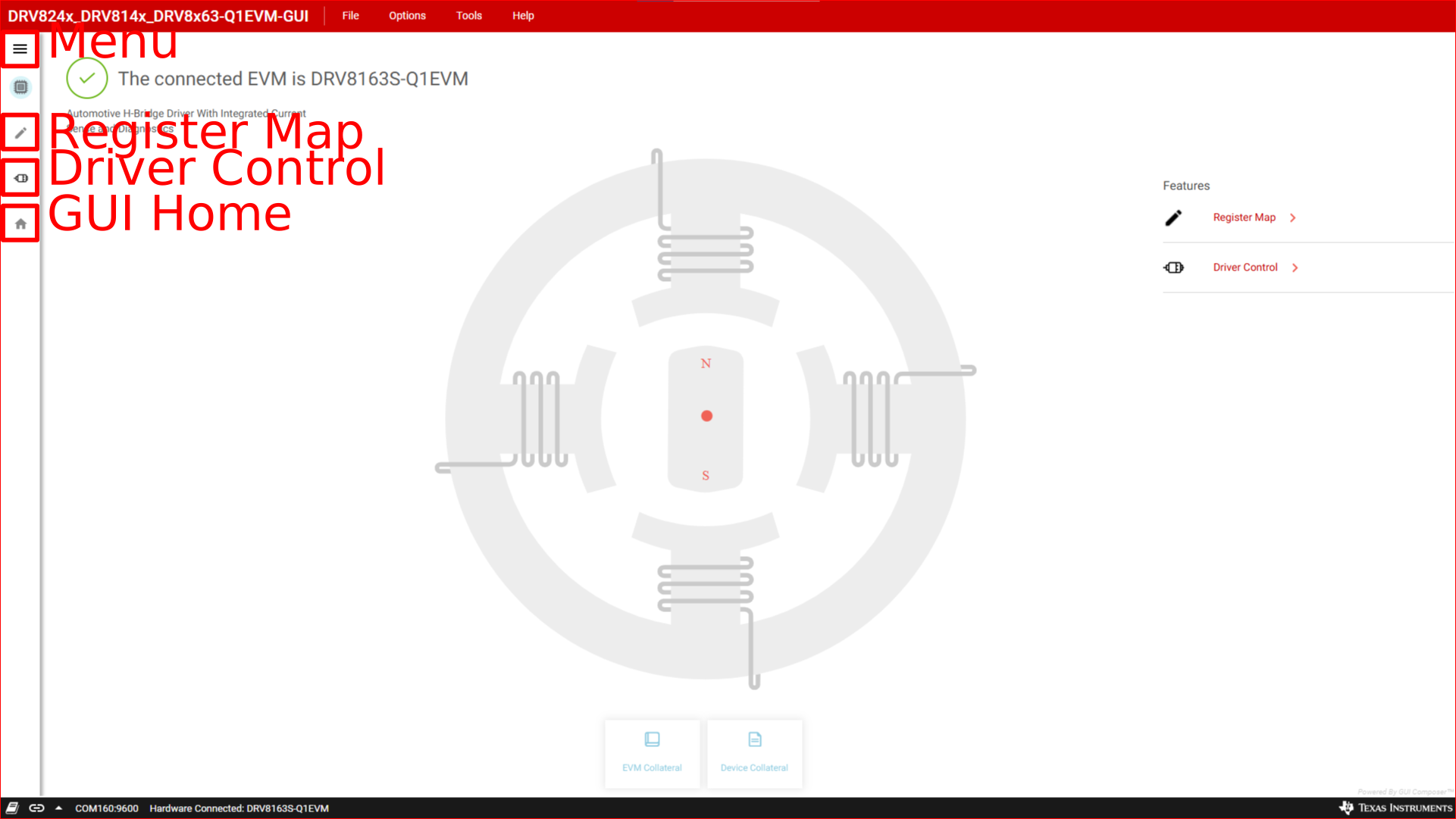 Figure 4-3 DRV824x_DRV814x_DRV8x63-Q1EVM GUI Navigation