SBOU323 June   2025 XTR200


  1.   1
  2.   Description
  3.   Features
  4.   Applications
  5.   5
  6. 1Evaluation Module Overview
    1. 1.1 Introduction
    2. 1.2 Kit Contents
    3. 1.3 Specification
    4. 1.4 Device Information
  7. 2Hardware
    1. 2.1 Evaluation Setup
    2. 2.2 Jumper Information
    3. 2.3 Output Mode Configuration
      1. 2.3.1 Current Mode Configuration
      2. 2.3.2 Voltage Mode Configuration
    4. 2.4 SET Pin
    5. 2.5 Error Flag
    6. 2.6 Power Requirements
    7. 2.7 Optional External Transistor
    8. 2.8 Optional External Protection Circuitry
  8. 3Hardware Design Files
    1. 3.1 Schematics
    2. 3.2 PCB Layouts
    3. 3.3 Bill of Materials (BOM)
  9. 4Additional Information
    1. 4.1 Trademarks
  10. 5Related Documentation
    1. 5.1 Supplemental Content

Voltage Mode Configuration

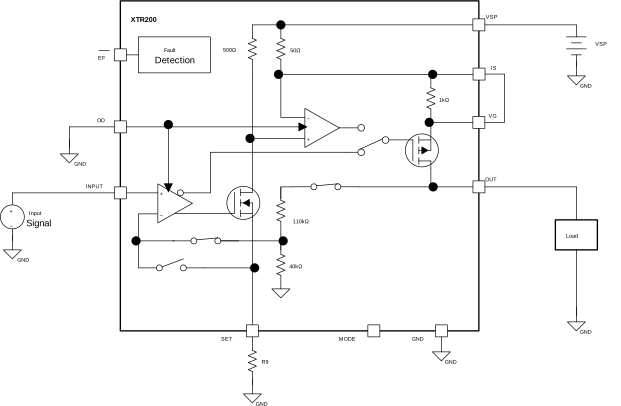
For voltage mode, use Equation 2 to calculate the output voltage. Unlike in current output mode, the RSET resistor has no affect on the input or output voltage ranges.

Equation 2. VOUT=VIN×3.75

To enable voltage mode in the XTR200EVM set the jumpers in the configuration as shown in Table 2-4.

Table 2-4 Jumper Mode Jumper Configuration Settings

Jumper

Setting

JP1

Closed

JP2

Closed

XTR200EVM XTR200 Voltage Output Configuration Circuit DrawingFigure 2-3 XTR200 Voltage Output Configuration Circuit Drawing