SBOU323 June 2025
2.1 Evaluation Setup
To setup the XTR200EVM:
- Set jumpers JP1, JP2 and JP3 in the desired configuration. See Section 2.2 for more information.
- Connect the power supply to J1 or test points labeled VSP and GND.
- Connect the output load to J3 or test points labeled OUT and GND.
- Connect the input signal to J2 or test points labeled IN and GND.
- Turn on the power supply.
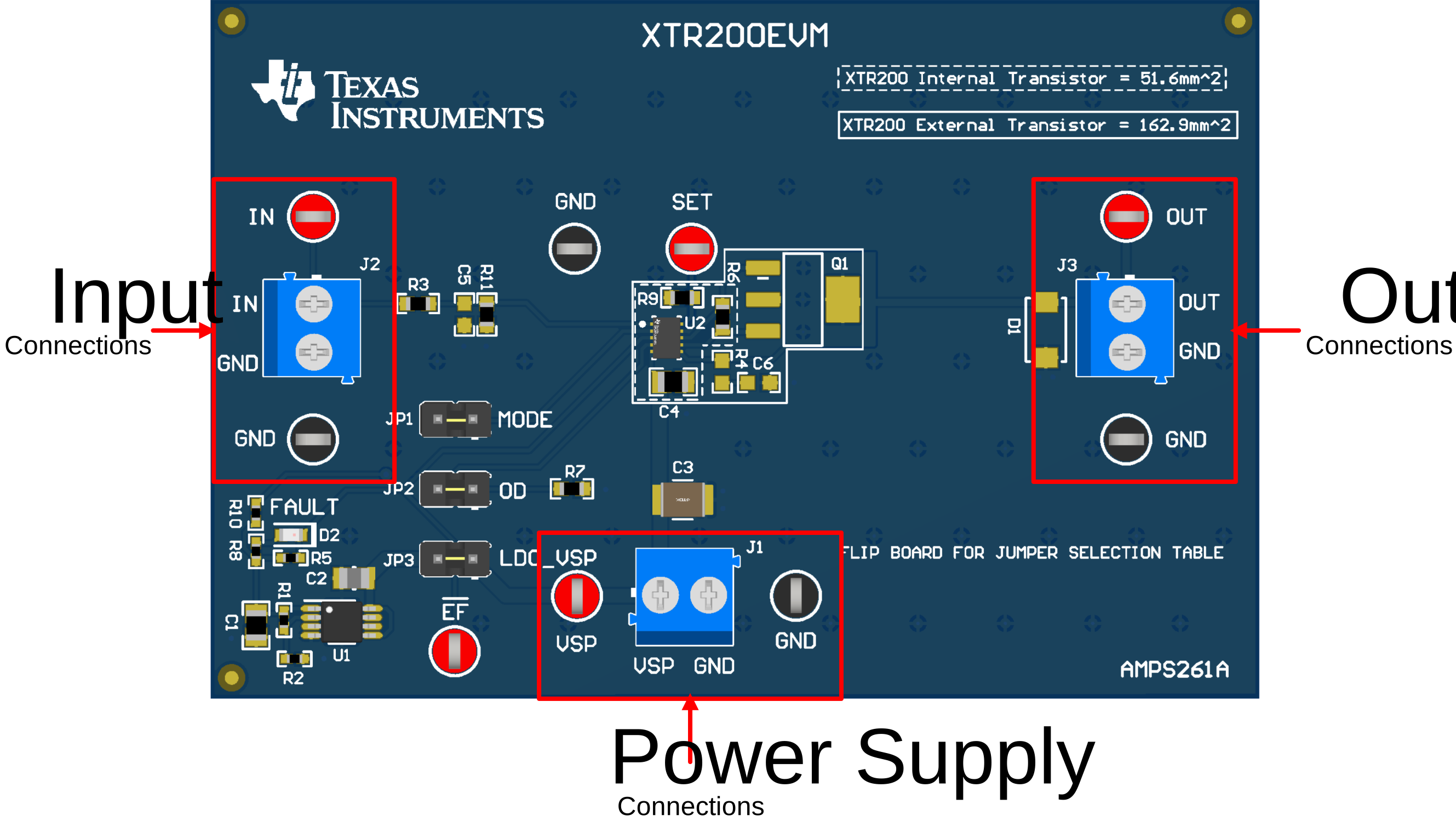 Figure 2-1 Locations of the Power Supply,
Input, and Output Connections
Figure 2-1 Locations of the Power Supply,
Input, and Output Connections