SLAAE70B December 2022 – August 2025 MSPM0G1105 , MSPM0G1106 , MSPM0G1107 , MSPM0G1505 , MSPM0G1506 , MSPM0G1507 , MSPM0G3105 , MSPM0G3106 , MSPM0G3107 , MSPM0G3505 , MSPM0G3506 , MSPM0G3507 , MSPM0H3216 , MSPM0L1105 , MSPM0L1106 , MSPM0L1227 , MSPM0L1227-Q1 , MSPM0L1228 , MSPM0L1228-Q1 , MSPM0L1303 , MSPM0L1304 , MSPM0L1304-Q1 , MSPM0L1305 , MSPM0L1305-Q1 , MSPM0L1306 , MSPM0L1306-Q1 , MSPM0L1343 , MSPM0L1344 , MSPM0L1345 , MSPM0L1346 , MSPM0L2227 , MSPM0L2227-Q1 , MSPM0L2228 , MSPM0L2228-Q1
- 1
- Trademarks
- 1MSPM0 Overview
- 2MSPM0 Design Resources
- 3MSPM0 Application Resources
- 4Acronyms and Definitions
- 5Revision History
1.2 Ecosystem
MSPM0 MCUs are supported by an extensive hardware and software ecosystem. The ecosystem includes easy to use development tools, affordable evaluation boards, and a wide range of embedded software kits, drivers, and examples. Additionally, interactive trainings included in MSP Academy provide a guided learning path and online support is offered directly through the TI E2E™ support forums.
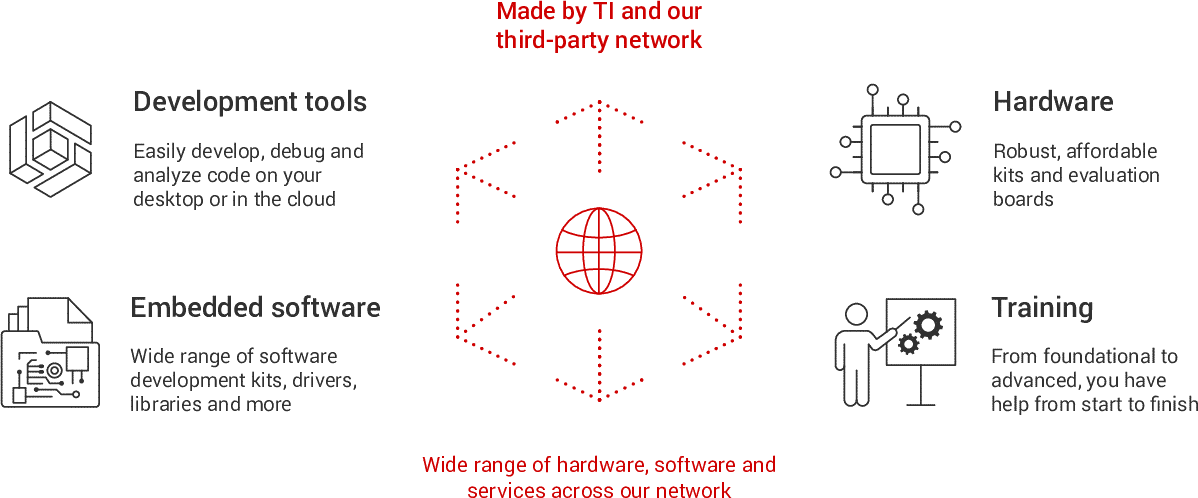 Figure 1-2 MSPM0 Ecosystem
To start developing with MSPM0 MCUs, purchase a MSPM0 LaunchPad™ development kit. Download Code Composer Studio and the MSPM0 SDK to access example code and demos. Consider completing the trainings and labs in MSPM0 Academy. These labs demonstrate key features of the MSPM0 peripherals and include several interactive exercises.