SNAU163C August 2014 – October 2016 FDC1004
-
FDC1004EVM User's Guide
- Trademarks
- 1 Setup
- 2 Sensing Solutions EVM GUI
- 3 Board Layout
- 4 Schematic
- Revision History
2.8.2 Logging Data to a File
Follow these steps to log measurement data to a file.
- Click the button in the upper right under next to "Click to Select Log File"
- Select a file name and directory to save the data to and then click the “Save” button
- Whenever data streaming is running the data for all channels will be logged to this file. The selected file is shown next to the button.
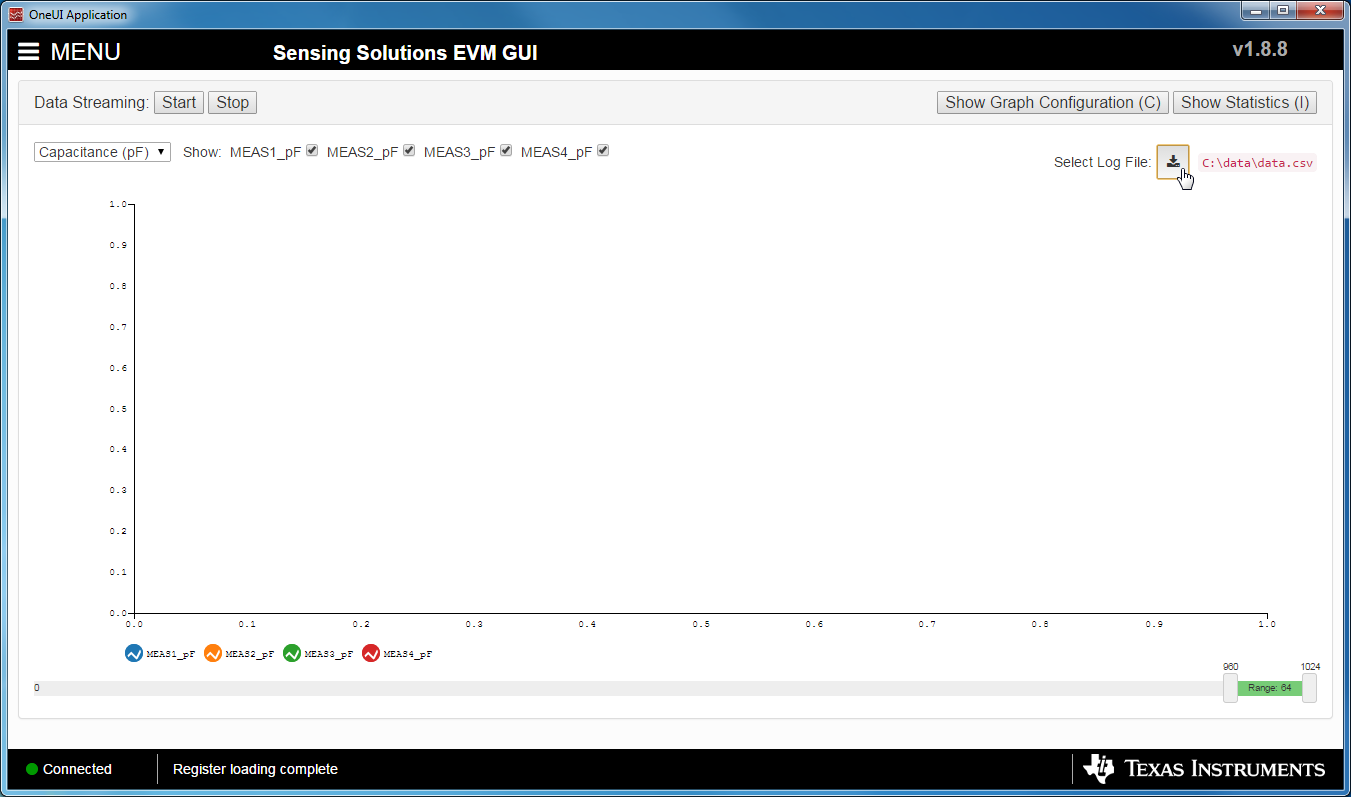 Figure 26. Select Log File Button on Data Streaming Page
  Figure 27. Selected Log File Shown on Data Streaming Page