SLUUD65 April   2025 BQ25630


  1.   1
  2.   Description
  3.   Get Started
  4.   Features
  5.   Applications
  6.   6
  7. 1Evaluation Module Overview
    1. 1.1 Introduction
    2. 1.2 Kit Contents
    3. 1.3 Specifications
    4. 1.4 Device Information
  8. 2Hardware
    1. 2.1 Header Information
    2. 2.2 Jumper Information
    3. 2.3 Equipment
    4. 2.4 Hardware Setup
  9. 3Software
    1. 3.1 Software Setup
    2. 3.2 Test Procedure
      1. 3.2.1 Initial Power Up
      2. 3.2.2 I2C Register Communication Verification
      3. 3.2.3 Charger Mode Verification
      4. 3.2.4 Boost Mode Verification
      5. 3.2.5 Helpful Tips
  10. 4Hardware Design Files
    1. 4.1 Schematic
    2. 4.2 PCB Layout
      1. 4.2.1 PCB Layout Guidelines
    3. 4.3 Bill of Materials (BOM)
  11. 5Additional Information
    1.     Trademarks
  12. 6Revision History

PCB Layout

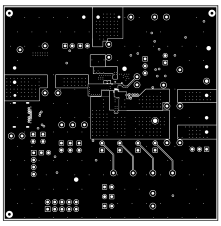
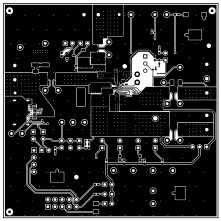
The following figures illustrate the PCB board layers.
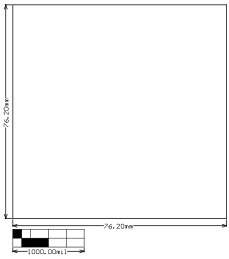
BQ25630EVM BMS077 Board DimensionsFigure 4-2 BMS077 Board Dimensions
BQ25630EVM BMS077 Bottom OverlayFigure 4-4 BMS077 Bottom Overlay
BQ25630EVM BMS077 Signal Layer 1Figure 4-6 BMS077 Signal Layer 1
BQ25630EVM BMS077 Bottom LayerFigure 4-8 BMS077 Bottom Layer
BQ25630EVM BMS077 Top OverlayFigure 4-3 BMS077 Top Overlay
BQ25630EVM BMS077 Top LayerFigure 4-5 BMS077 Top Layer
BQ25630EVM BMS077 Signal Layer 2Figure 4-7 BMS077 Signal Layer 2