SPRUJE4D August 2024 – June 2025 F29H850TU , F29H859TU-Q1
- 1
- Description
- Get Started
- Features
- 5
- 1Evaluation Module Overview
- 2Hardware
- 3Software
- 4Hardware Design Files
-
5Additional Information
- 5.1
Known Hardware or Software Issues
- 5.1.1 Usage Note Matrix
- 5.1.2 Advisories Matrix
- 5.1.3 Usage Notes
- 5.1.4
Advisories
- 5.1.4.1 MCU Flash Is Not Supported, All Code Must Execute From RAM
- 5.1.4.2 Incorrect Package Marking on MCU Package
- 5.1.4.3 Internal Oscillator (INTOSC2) on MCU Defaults to 6MHz
- 5.1.4.4 By Default, GPIO4 Configured as ERRORSTS by ROM Code and Driven High
- 5.1.4.5 MCU Fault State Possible When On-Board 25MHz Clock is Enabled
- 5.1.4.6 25MHz X1 Clock Is Disabled, INTOSC Must Be Used as MCU Clock Source and EtherCAT Is Not Supported
- 5.1.4.7 PMIC Monitoring of MCU Reset Signal (XRSN) Is Disabled
- 5.1.4.8 ADC VREFHIAB and VREFHICDE Incorrectly Shorted Together When S3 and S4 Are Both Set to Internal VREF Mode
- 5.1.4.9 Incorrect Voltage on VREFHIAB and VREFHICDE Pins When External VREF Mode Is Selected
- 5.1.4.10 MCU Reset Signal (XRSN) Can Remain Asserted on Power-On
- 5.1.4.11 FSI Signals on the Data Logging and Trace Connector (J5) May Interfere With Some Advanced Debuggers
- 5.2 Trademarks
- 5.1
Known Hardware or Software Issues
- 6References
- 7Revision History
2.4.4 FSI DLT Support
An optional resistor configuration is included on the F29H85x controlSOM to enable use of multiple FSI pins for data logging through the data, logging, and trace (DLT) header (J5). Table 2-7 lists all the FSI pins that can be connected to the DLT header. By default, these FSI pins are connected to the J1/J3 high-density connectors for baseboard use; the FSI pins are not connected to the DLT header. To connect these FSI pins to the DLT header, follow the instructions on Table 2-8.
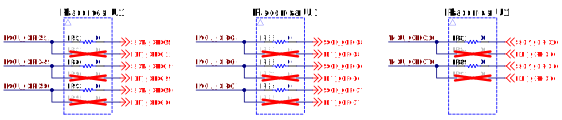 Figure 2-11 FSI DLT Selection
Resistors
Figure 2-11 FSI DLT Selection
Resistors Figure 2-12 FSI DLT Selection Resistor
Locations (Top)
Figure 2-12 FSI DLT Selection Resistor
Locations (Top) Figure 2-13 FSI DLT Selection Resistor
Locations (Bottom)
Figure 2-13 FSI DLT Selection Resistor
Locations (Bottom)| GPIO | Function |
|---|---|
| GPIO51 | FSITXA_CLK |
| GPIO49 | FSITXA_D0 |
| GPIO50 | FSITXA_D1 |
| GPIO8 | FSITXB_CLK |
| GPIO6 | FSITXB_D0 |
| GPIO7 | FSITXB_D1 |
| GPIO16 | FSIRXC_CLK |
| GPIO76 | FSIRXC_D0 |
| Mode | Resistor Configuration |
|---|---|
| FSI pins connected to J1/J3 Baseboard Headers (default) | Populate all 0-ohm
resistors on R52, R86, R93, R55, R88, R94, R81, and R89. Remove all resistors on R82, R90, R95, R83, R91, R96, R84, and R92. |
| FSI GPIOs connected to DLT Header | Remove all resistors on
R52, R86, R93, R55, R88, R94, R81, and R89. Populate all 0-ohm resistors on R82, R90, R95, R83, R91, R96, R84, and R92. |