SWAU132A April 2024 – August 2025
3.1.2 Processor and Linux
The BP-CC3351 can integrate with a host platform running Linux OS, like the BeagleBoard.org® BeagleBone® Black (BBB). The BeagleBone Black is a low-cost, community-supported development platform as shown below.
 Figure 3-2 BeagleBone Black Board
To interface with the BP-CC3351 with the BeagleBone Black, the user also needs the BP-CC33-BBB-ADAPT to BBB Adapter Board .
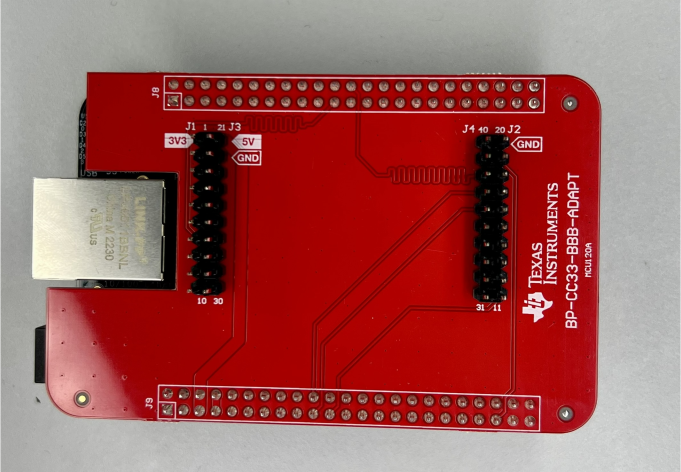 Figure 3-3 Adapter Board for the BeagleBone Black
 Figure 3-4 BP-CC3351 and BBB with Adapter Board
To make sure the BeagleBone Black boots up from the SD card, TI recommends to a remove the 100kohm resistor R68 seen on the bottom of the BBB, and add as R93 on the top of the BBB. Alternatively, press and hold the S2 button on the BeagleBone board during power-up if the hardware modifications were not made. (See Figure 3-5 and Figure 3-6.)
Lastly, adding a right-angle header on the bottom of the BBB to easily connect the FTDI cable is optional. When the adapter board is attached to the BBB, the FTDI cable can get pinched between the BBB and the adapter board, which can cause communication problems. (See Figure 3-6.)
 Figure 3-5 Modified BBB (Bottom
View)
Figure 3-5 Modified BBB (Bottom
View) Figure 3-6 Modified BBB (Top View)