SLLU393 October 2024
- 1
- Description
- Get Started
- Features
- Applications
- 6
- 1 Evaluation Module Overview
- 2 Hardware
- 3 Hardware Connections Overview
- 4 Connection Details
- 5 MSP430FR2355 Microcontroller & User Interface
- 6 LED Lights
- 7 User-Configurable Settings
- 8 Software
- 9 Hardware Design Files
- 10Additional Information
- 11Revision History
6 LED Lights
The MCF8316DEVM has 6 status LEDs implemented that provide the status of power supplies and functionalities of the evaluation module. By default, the VM LED and 3.3V Buck LEDs will light up when the board is powered. Table 6-1 shows LED descriptions including those that are on during power up in bold and Figure 6-1 shows the locations of the LEDs.
Table 6-1 Description of MCF8316DEVM LEDs
| Designator | Name | Color | Description |
|---|---|---|---|
D1 | Buck Regulator | Green | Internal buck regulator is voltage output |
D2 | nFAULT | Red | Lights up when fault condition has occurred on MCF8316D |
D3 | ALARM | Red | Lights up when alarm condition has occurred on MCF8316D |
D4 | VM | Green | Motor power is supplied to the board |
D5 | MSP_LED1 | Red | Used for UART or debugging |
D6 | MSP_LED2 | Red | Used for UART or debugging |
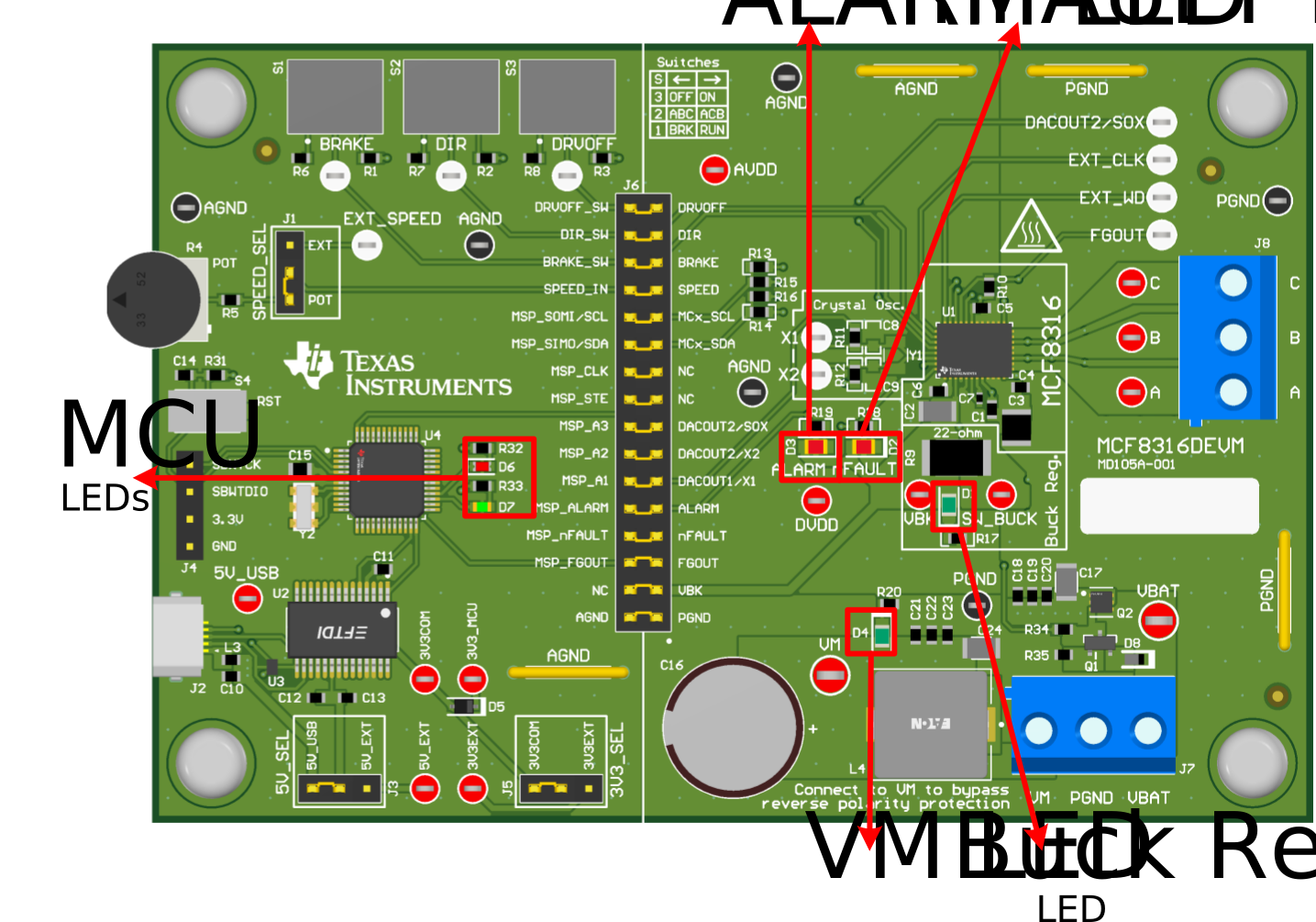 Figure 6-1 MCF8316DEVM LED Locations