SNVU932A March 2025 – August 2025 LP5814 , LP5814I , LP5815
2.2 Jumper Information
- For the LP5814DRLEVM and LP5814YCHEVM, the LP5814 is under the conditions below with the default jumpers
setting.
- The VCC of LP5814 is connected to the 3.3V of USB2ANY through J1.
- The VLED, which provides the power supply for the RGB LED D1 and White LED D2, is connected to the 3.3V of USB2ANY through J2.
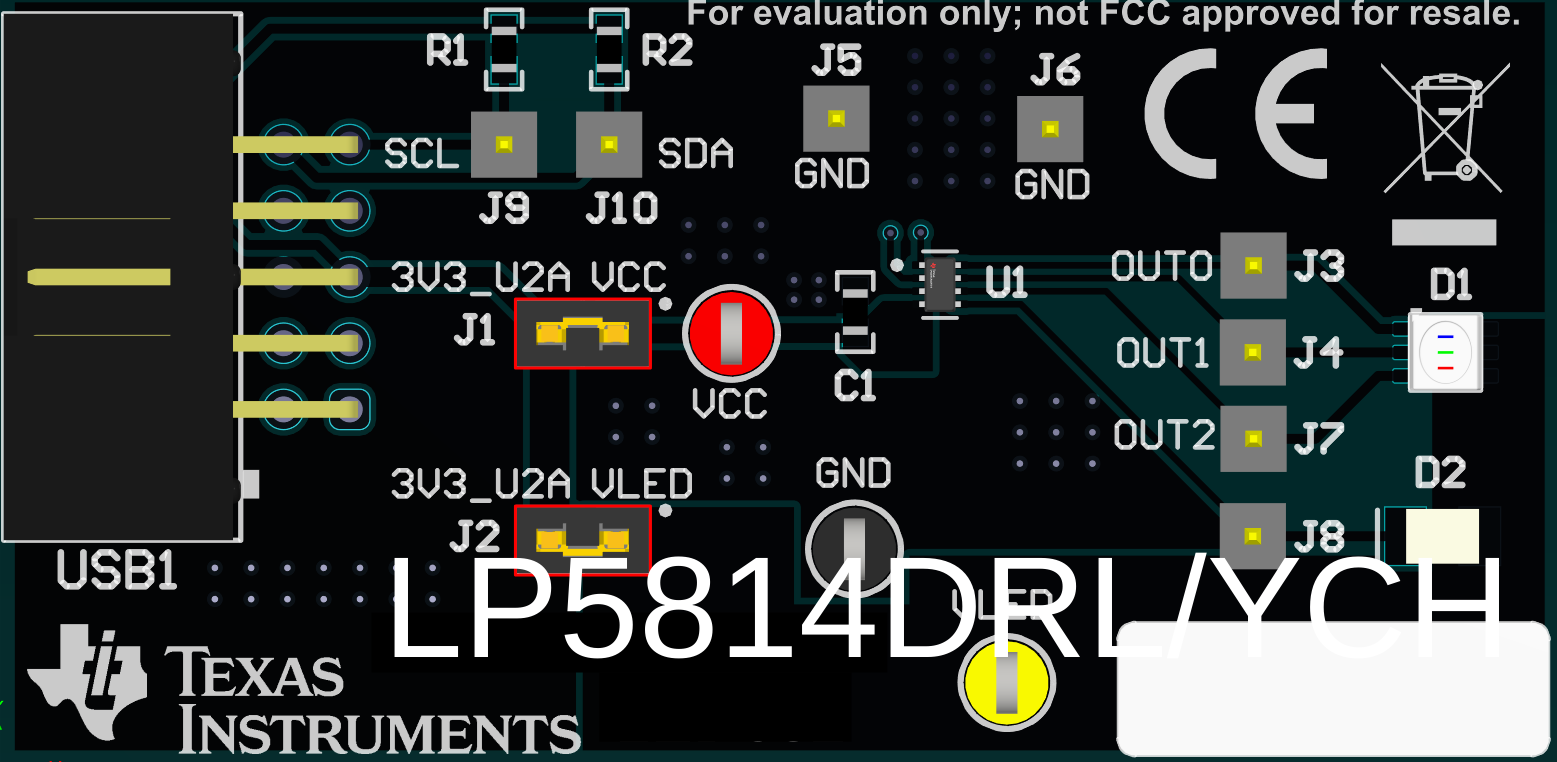 Figure 2-2 LP5814DRLEVM and LP5814YCHEVM Default Jumpers
Setting
Figure 2-2 LP5814DRLEVM and LP5814YCHEVM Default Jumpers
Setting - For the LP5815DRLEVM and LP5815YCHEVM, the LP5815 is under the conditions below with the default jumpers
setting.
Make sure the jumper J3 is populated while using the LP5815DRLEVM or LP5815YCH EVM board to evaluate the LP5817.
- The VCC of LP5815 is connected to the 3.3V of USB2ANY through the jumper J2.
- The STAT of LP5815 is connected to GND through the jumper J3.
- The VLED, which provides the power supply for the RGB LED D1, is connected to the 3.3V of USB2ANY through the jumper J9.
 Figure 2-3 LP5815DRLEVM and LP5815YCHEVM Default Jumpers
Setting
Figure 2-3 LP5815DRLEVM and LP5815YCHEVM Default Jumpers
Setting