SPRAD28 October 2022 AM2431 , AM2432 , AM2434 , AM2631 , AM2631-Q1 , AM2632 , AM2632-Q1 , AM2634 , AM2634-Q1 , AM263P2-Q1 , AM263P4 , AM263P4-Q1 , AM26C31 , AM26C31-EP , AM26C31M , AM26C32 , AM26C32-EP , AM26C32C , AM26C32M , AM26LS31 , AM26LS31M , AM26LS32A , AM26LS32AC , AM26LS32AM , AM26LS33A , AM26LS33A-SP , AM26LS33AM , AM26LV31 , AM26LV31E , AM26LV31E-EP , AM26LV32 , AM26LV32E , AM26LV32E-EP , AM26S10 , AM2732 , AM2732-Q1
- Abstract
- Trademarks
- 1 Building for Debug
- 2 Code Composer Studio Stop-Mode Debugging
- 3 Debug Logging
- 4 Multi-Core Debug
- 5 Debugging Arm Cortex-R5 Exceptions
- 6 Debugging Arm Cortex-M4 Exceptions
- 7 Debugging Memory
- 8 Debugging Boot
- 9 Debugging Real-Time Control Loops
- 10E2E Support Forums
9.3.2 Create Target Configuration File
A step-to-step guide is given in the screen shots shown below:
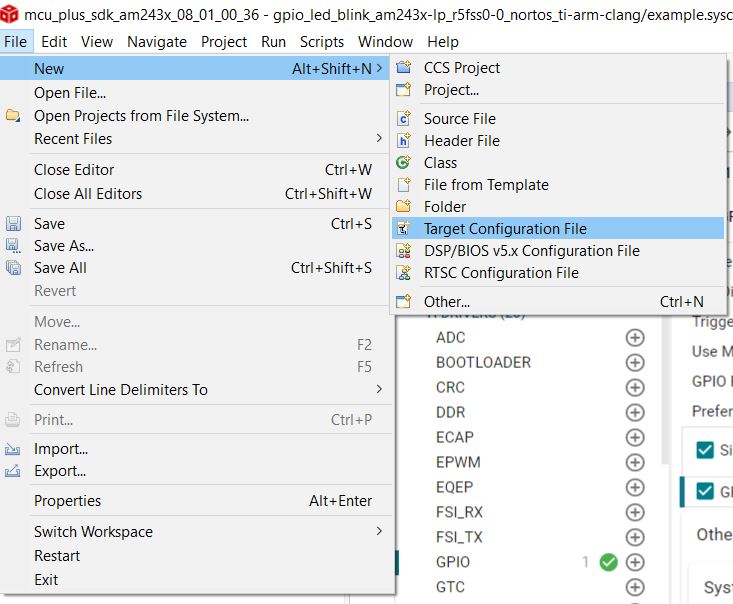 Figure 9-1 Create New Target
Configuration File
Figure 9-1 Create New Target
Configuration File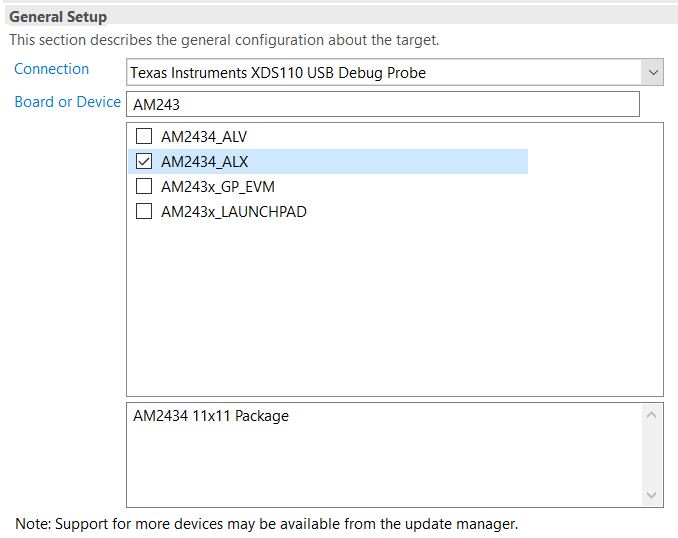 Figure 9-2 Select JTAG Connection and
Device
Figure 9-2 Select JTAG Connection and
Device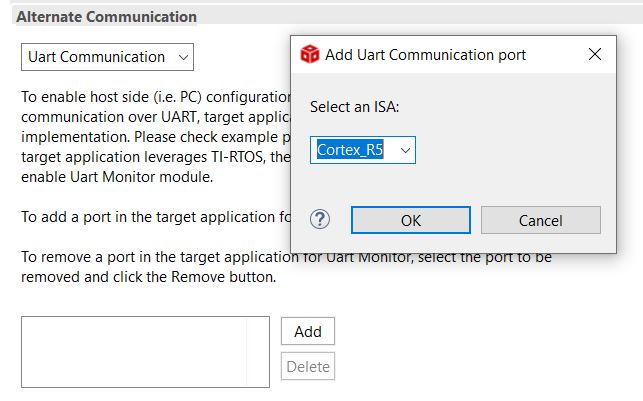 Figure 9-3 Add UART Communication
Port
Figure 9-3 Add UART Communication
Port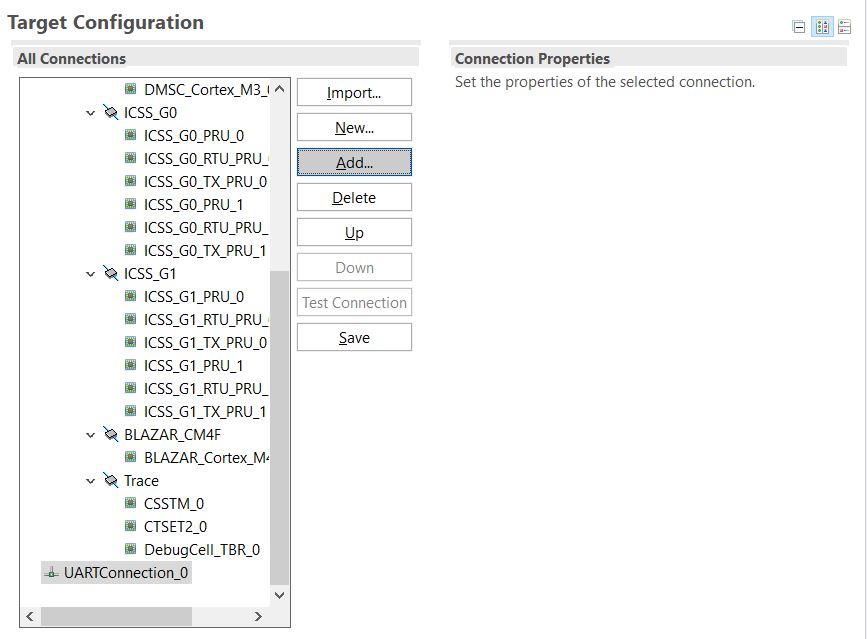 Figure 9-4 Open Advanced Target
Configuration
Figure 9-4 Open Advanced Target
Configuration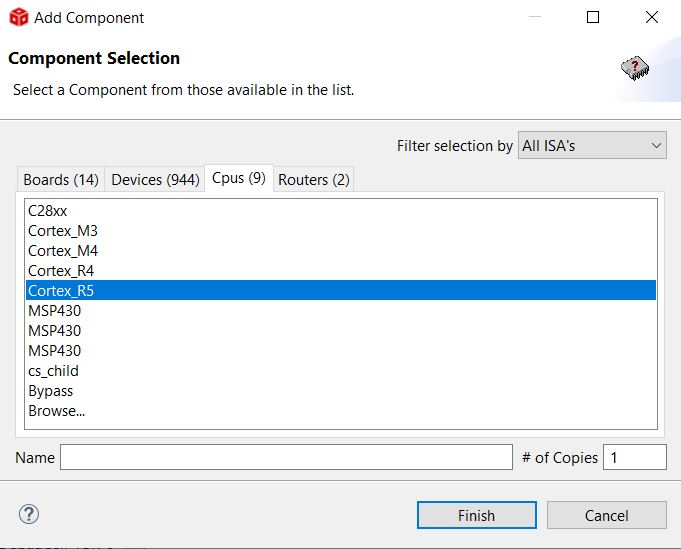 Figure 9-5 Add Component
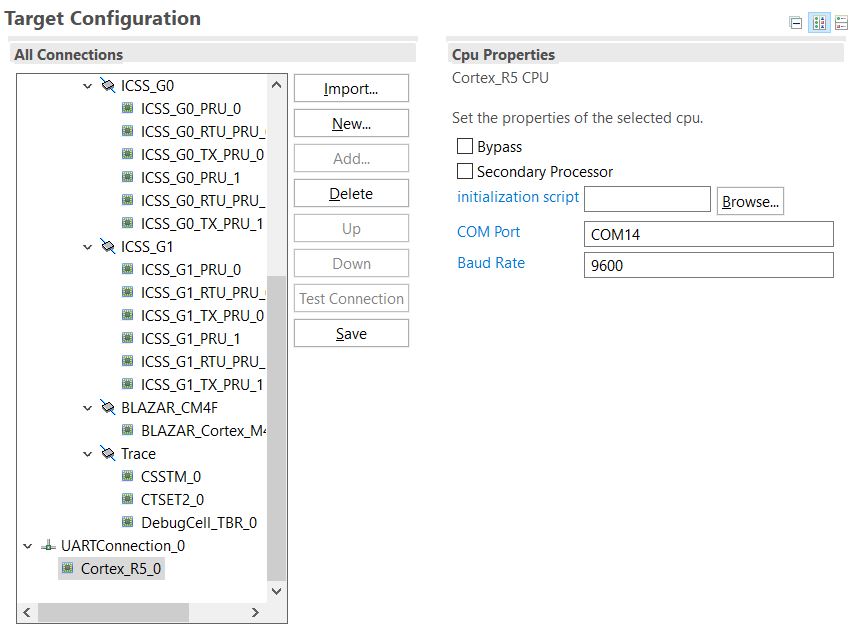 Figure 9-6 Select CPU Properties
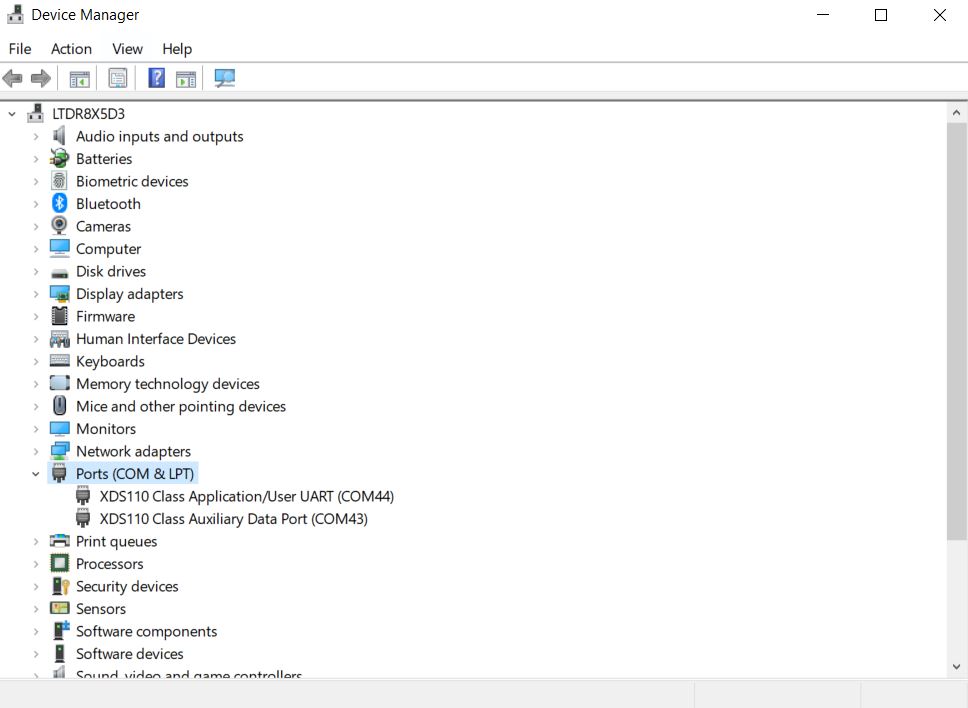 Figure 9-7 Find XDS110 UART COM
Port
Figure 9-7 Find XDS110 UART COM
Port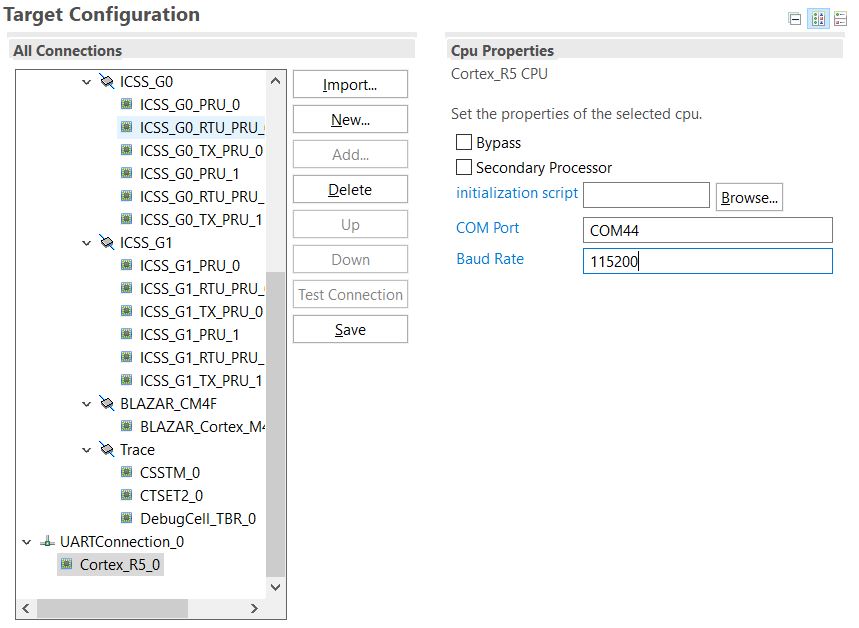 Figure 9-8 Update CPU Properties in
Advanced Target Configuration
Figure 9-8 Update CPU Properties in
Advanced Target Configuration