SLVUD67 September 2025 TPS6521505-Q1
5.7 Configuring the EN/PB/VSENSE Pin
The enable pin of the PMIC can be configured as Enable, Push-Button, or VSENSE. In addition to the function, the deglitch can also be configured. Additionally, this pin has the option for first supply detection (FSD) to ignore the state of the EN/PB/VSENSE pin during the first power-up.
- Figure 5-9 shows the settings to be changed when using the TPS65215-GUI.
- Table 5-17 show the register fields to be written when NOT using the TPS65215-GUI.
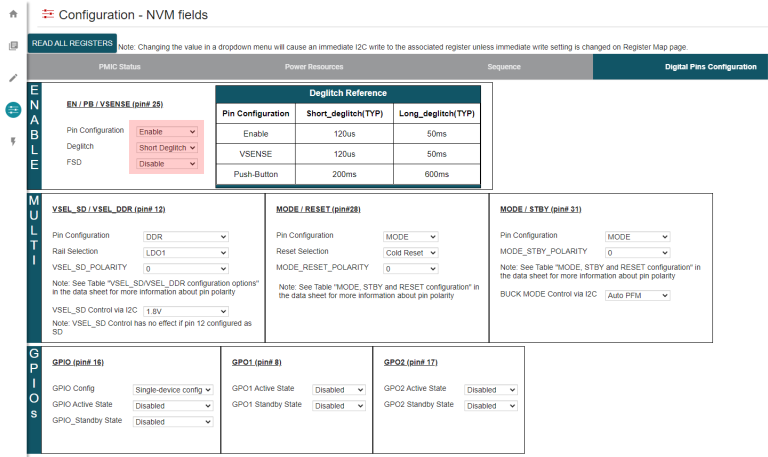 Figure 5-9 EN/PB/VSENSE Configuration
Using the TPS65215-GUI
Figure 5-9 EN/PB/VSENSE Configuration
Using the TPS65215-GUITable 5-17 NVM Registers for EN / PB /
VSENSE
| Register Address | Bit | Field Name | Settings | |
|---|---|---|---|---|
| First Supply Detection | 0x20 | 7 | PU_ON_FSD | 0h = FSD Disabled 1h = FSD Enabled |
| Pin Configuration | 5-4 | EN_PB_VSENSE_CONFIG | 0h = Enable 1h = Push Button 2h = VSENSE 3h = Enable |
|
| Deglitch | 3 | EN_PB_VSENSE_DEGL | See the register map on the device-specific data sheet. |