SBAU315B July 2018 – March 2025
5.2 EVM Graphical User Interface (GUI) Software Installation
Download the latest version of the EVM GUI installer from the Tools and Software folder of the ADS9224R, and run the GUI installer to install the EVM GUI software on the user’s computer.
Manually disable any antivirus software running on the computer before downloading the EVM GUI installer onto the local hard disk. Otherwise, depending on the antivirus settings, an error message may appear or the installer.exe file may be deleted.
Accept the license agreements and follow the onscreen instructions to complete the installation.
 Figure 5-2 ADS9224R
Software Installation Prompts
Figure 5-2 ADS9224R
Software Installation PromptsAs a part of the ADS9224REVM GUI installation, a prompt with a Device Driver Installation will appear on the screen. Click Next to proceed.
 Figure 5-3 Device
Driver Installation Wizard Prompts
Figure 5-3 Device
Driver Installation Wizard PromptsA notice may appear on the screen stating that Widows cannot verify the publisher of this driver software. Select Install this driver software anyway.
The ADS9224xEVM-PDK requires LabVIEW™ Run-Time Engine, and may prompt for the installation of this software if not already installed.
 Figure 5-4 LabVIEW
Run-Time Engine Installation
Figure 5-4 LabVIEW
Run-Time Engine InstallationAfter these installations, verify that C:\Program Files (x86)\Texas Instruments\ADS9224REVM is as shown in Figure 5-5.
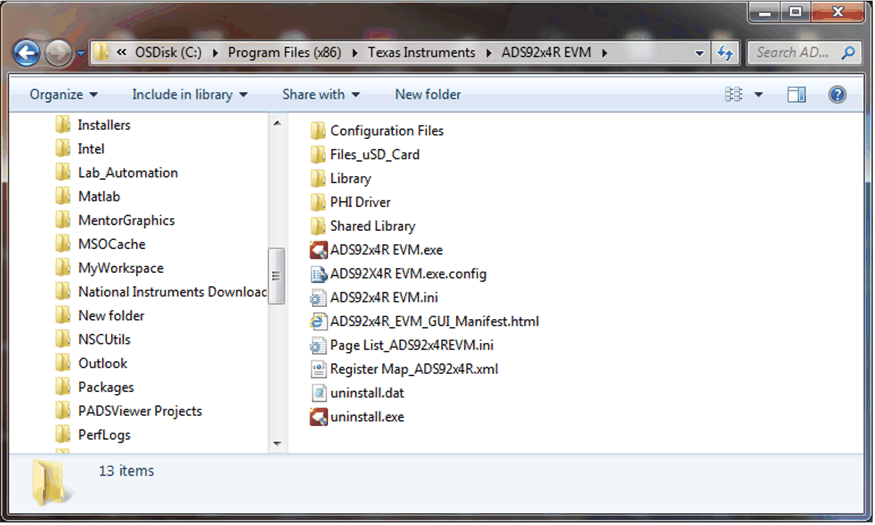 Figure 5-5 ADS9224REVM-PDK Folder
Post-Installation
Figure 5-5 ADS9224REVM-PDK Folder
Post-Installation