SWRU580 April 2021 CC2564C , CC2564MODA , CC2564MODN
- Trademarks
- 1 Introduction
- 2 A2DP (AUD) Demo Guide
- 3 A3DP Sink Demo Guide
- 4 A3DP Source Demo Guide
- 5 HFP Demo Guide
- 6 HFP Audio Gateway Demo Guide
- 7 HID Demo Guide
- 8 HSP Demo Guide
- 9 Map Demo Guide
- 10PBAP Demo Guide
- 11SPP Demo Guide
- 12SPPLE Demo Guide
- 13SPPDMMulti Demo Guide
- 14ANP Demo Guide
- 15HFP Demo Guide
- 16HTP Demo Guide
- 17PASP Demo Guide
- 18HOGP Demo Guide
- 19PXP Demo Guide
- 20FMP Demo Guide
- 21CSCP Demo Guide
- 22Revision History
3.2 Demo Application
This section provides a description of how to use the demo application to connect an audio source to it and communicate over Bluetooth.
Device 1 (Sink) setup on the demo application- Follow the steps in the running the bluetooth code section to setup the sink.
- Set the name of the device. In the A3DP+SNK>>> prompt enter SetLocalName a3dpmsp430. Note that you can replace a3dpmsp430 with any other name.
- If you are connecting to an Apple Device, you will need to set the class of device as well. In the A3DP+SNK>>> prompt enter SetClassOfDevice0x040424. This set's the class of device to a headset.
- Open the A3DP sink. In the
A3DP+SNK>>> prompt enter OpenSink. This opens an A3DP
endpoint.
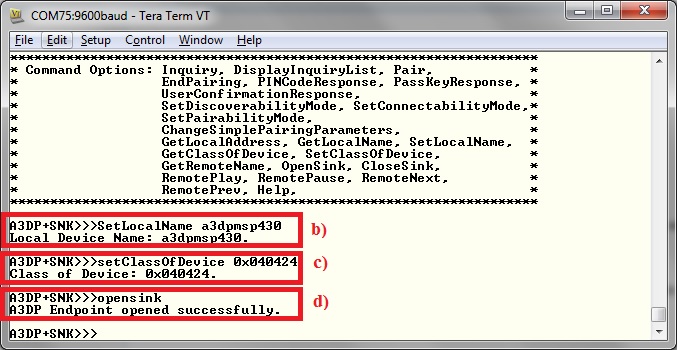 Figure 3-2 A3DP Sink Demo Set
Terminal
Figure 3-2 A3DP Sink Demo Set
Terminal
The A3DP source can be any application that can transmit audio. For our example, we will use an android phone as the demo.
- Open the bluetooth settings menu on the android phone(Settings->Bluetooth). We should get a menu like this.
- Hit on search for devices. The
phone should begin looking for other bluetooth devices.
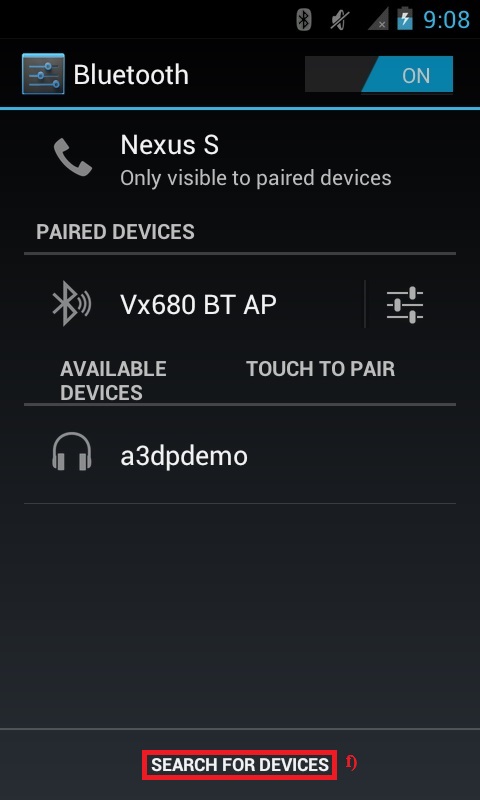 Figure 3-3 A3DP Sink Demo
Bluetooth Settings
Figure 3-3 A3DP Sink Demo
Bluetooth Settings - A A3DPDemo should appear like
shown below in the picture. Click on the device to begin pairing.
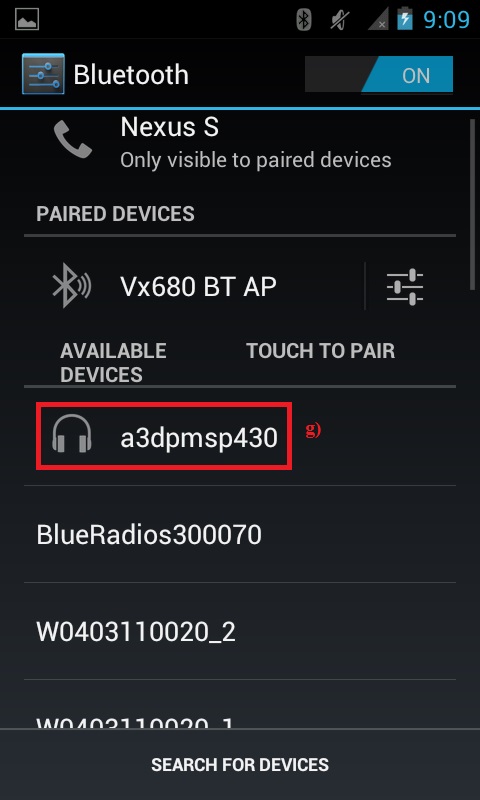 Figure 3-4 A3DP Sink Search for
Devices
Figure 3-4 A3DP Sink Search for
Devices - After the devices are paired, the
device should show connected on the phone side and on the MSP430.
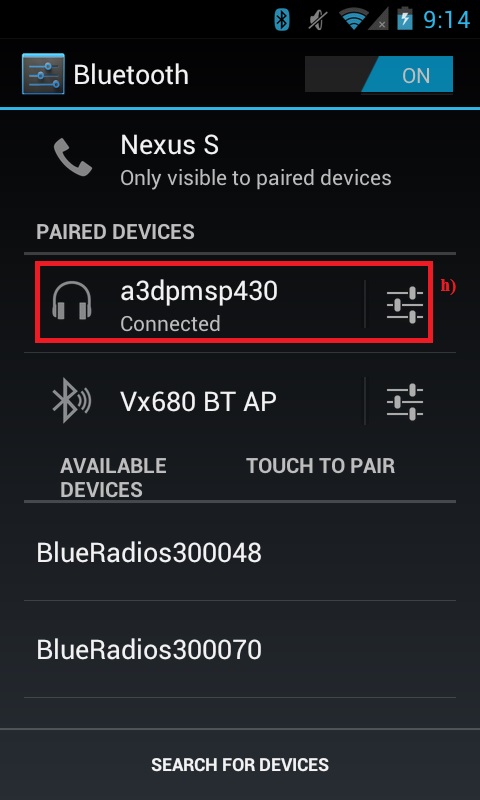 Figure 3-5 A3DP Sink Demo Paired
Phone
Figure 3-5 A3DP Sink Demo Paired
Phone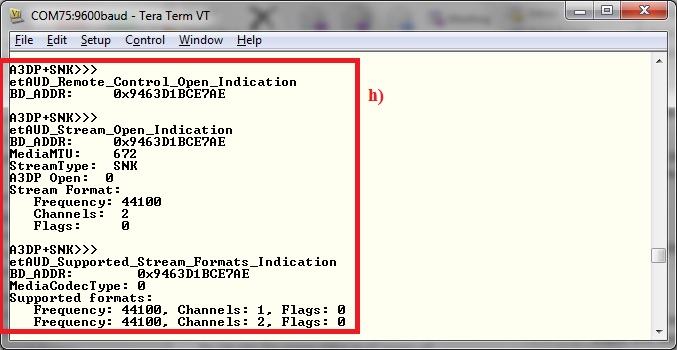 Figure 3-6 A3DP Connected
MSP430
Figure 3-6 A3DP Connected
MSP430 - You can now control the audio of device 2 from the sink reference board board.
- Open any music application, In the A3DP+SNK>>> prompt enter RemotePlay. A track starts playing on the device.
- In the A3DP+SNK>>>
prompt enter RemotePause. The current track is paused.
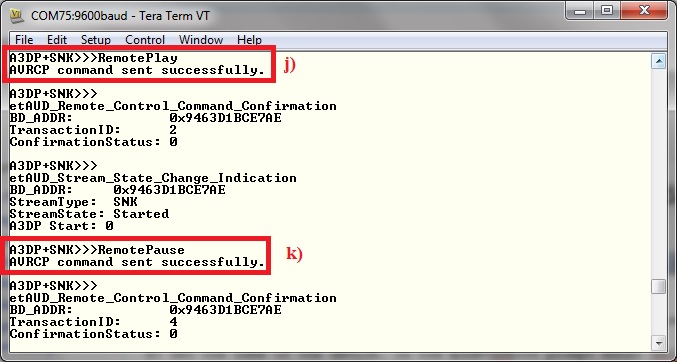 Figure 3-7 AD3P Sink Demo Play
and Pause
Figure 3-7 AD3P Sink Demo Play
and Pause - In the A3DP+SNK>>> prompt enter RemoteNext. The next track is played.
- In the A3DP+SNK>>>
prompt enter RemotePrev. The previous track is played.
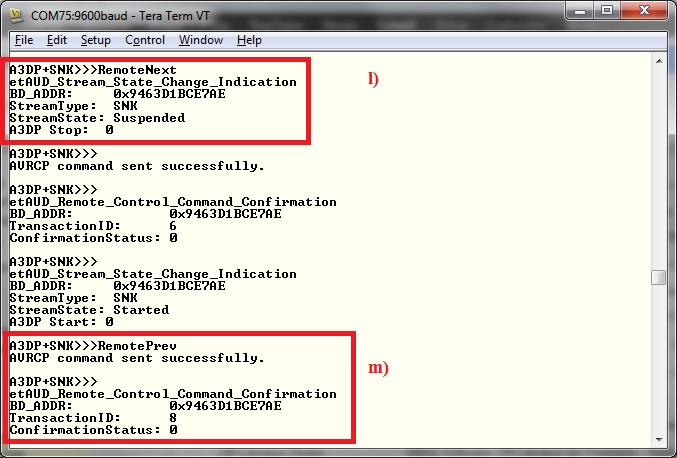 Figure 3-8 AD3P Sink Demo Prev
and Next
Figure 3-8 AD3P Sink Demo Prev
and Next